Gaming cafe billing software that runs the clock for you
AirQR is gaming cafe billing software for India. Staff start a station, the clock runs, and the time played lands on the same bill as the drinks and snacks. Guests can book a slot online and order food from their seat. Game time carries its own tax and a UPI QR is on the bill.
- Timers and packs for every station
- Guests book a slot online
- Games and food on one bill
A Saturday evening at the gaming cafe
This is how a busy evening can look when the stations, the bookings and the kitchen sit in one system.
- 01
Before opening
The owner checks the board. PS5-3 has a loose controller, so it is marked out of order and nobody can start it. The weekend rate for the evening is already set.
- 02
A group walks in
Four friends take two PS5 stations. Staff tap the free station, pick a timer or a pack, and the clock starts. Both stations go on one bill, so one person can pay for everyone.
- 03
A booked slot arrives
A guest booked a VR slot on the cafe's booking page that afternoon. Staff open Bookings, press Check in, and the Start window opens with the station and the players filled in.
- 04
Snacks to the station
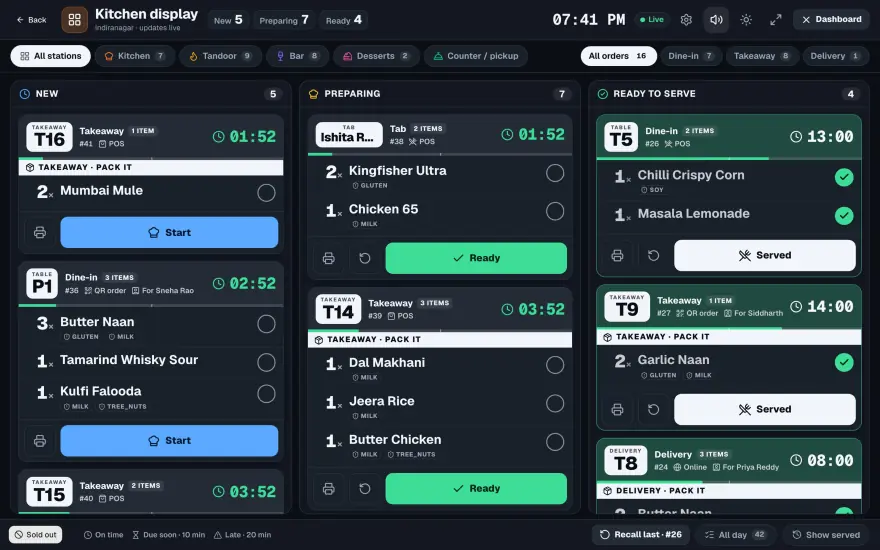
A guest scans the QR on the station and orders nachos and two colas. The order goes onto that station's bill and the kitchen gets it as usual. With a kitchen display, the station's card shows Preparing and then Ready to serve.
- 05
Time is nearly up
Staff see a warning on the board a few minutes before a timer ends. The guest wants another half hour, so staff press Extend and pick 30m. If a controller breaks mid game, staff Move the session to another free station and the clock goes with it.
- 06
Settling up
Staff press Stop and bill. The bill shows the game time and the food, each line with its own tax. The guest pays by UPI or cash, or the cafe splits the bill by items or equally.
How Game Zone bills time
You set this once for each activity in Game Zone, then Setup. You can change prices whenever you like.
Activities and stations
Pick from a ready list such as PlayStation, VR, pool, snooker, courts and escape rooms, or make a custom activity. Each activity has stations such as PS5-1 and PS5-2, with a short code staff can type in the POS.
By the hour, or by the game
Charge a price per hour, or a fixed price per game or option. Time is charged in blocks you choose, from 1 minute to 1 hour, with an optional minimum time and a few free minutes.
Packs
Sell a flat price for a block of time, such as 3 hours for ₹250. The bill uses whichever is cheaper for the guest, the pack or the hourly price, and time past the pack is charged hourly.
Peak and weekend rates
Set a different hourly price for weekends or for after 9 pm. A rate can run past midnight.
Players
Price a station for the whole group with some players included and a charge for each extra player, or price per player.
Timers, pause and extend
A timer counts down, an open session counts up, and a pack counts down like a timer. Staff can pause, resume, extend or move a session to another free station of the same activity.
The board your staff watch
Game Zone has its own section in the sidebar. It works on a laptop, a tablet at the counter and the AirQR Android app.
A live board and a floor plan
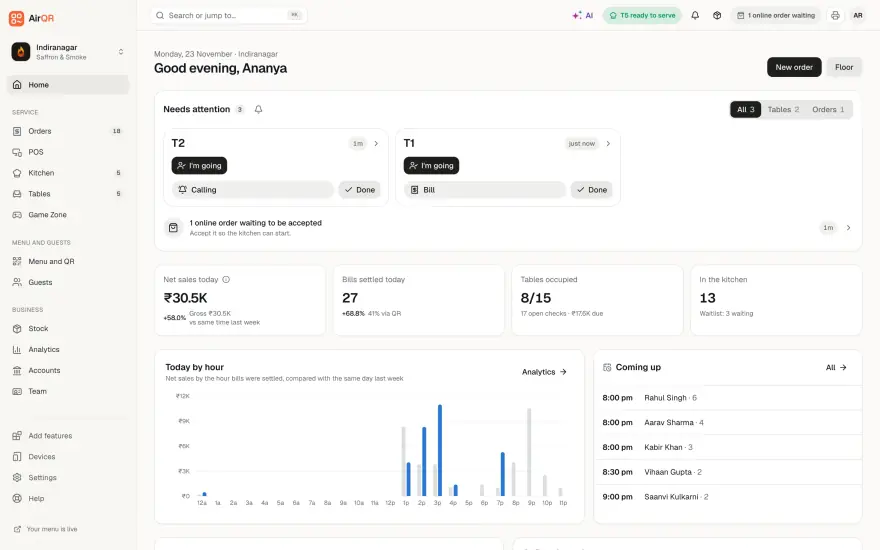
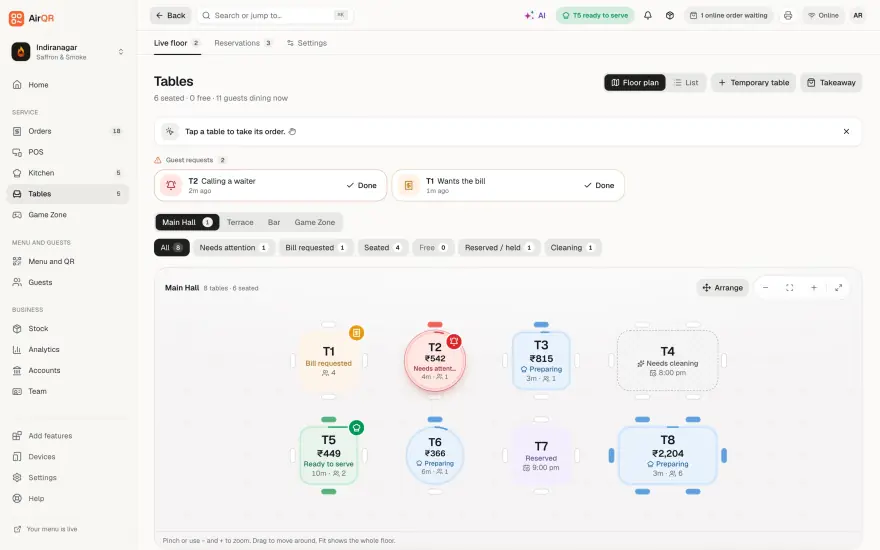
See every station as Free, In use, Ending soon, Over time or Out of order. Switch between a list and a floor plan that you arrange to match your room.
Time's up alerts
Staff get a warning a set number of minutes before a timer ends. After the end the clock turns red and counts the time over.
Keep screen awake
A tablet left on the board at the counter can stay awake while the page is open. It is off every time you open the page, so a tablet is never left awake by accident.
Start from the POS
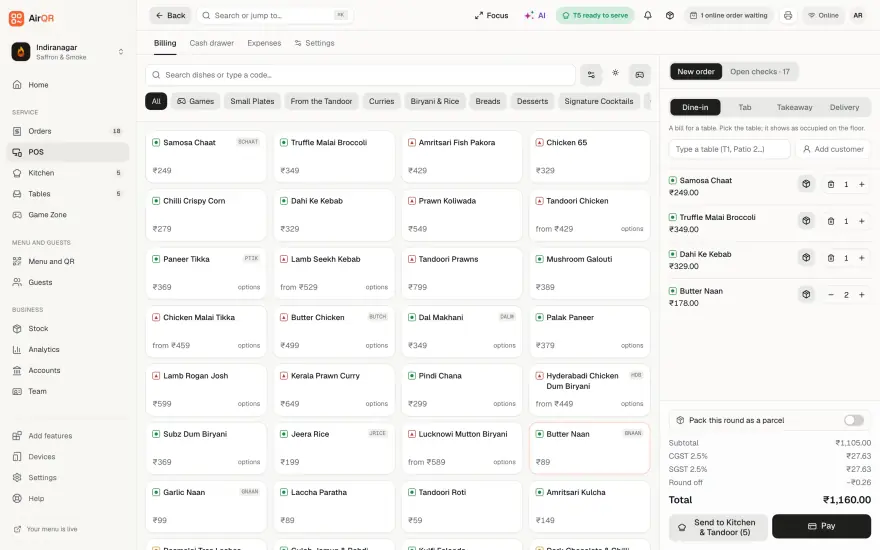
Type an activity's name or short code in the POS search, or tap the Games chip. The game goes on the check on screen, next to the dishes.
Paying ahead
Take a payment while the guest keeps playing. If a guest stops early on a paid timer, the bill shows what to return.
Offers on game time
An automatic offer or a coupon can discount the game lines. The discount comes off before tax, as it does for a dish.
Station QR codes and food orders
Each station gets its own QR code. Print the cards from Setup and stick them on the desk.
The guest sees their own timer
A guest who scans the station QR sees the time counting down on their phone. The banner follows what staff do, such as pause, extend and stop, within about 15 seconds.
Food goes to the station
Food ordered from a station with a running session goes onto that session's check, with no table to pick. The kitchen gets the round as usual.
A games section on your menu
Your guest menu can show each activity with its icon, its price and how many stations are free, such as 2 of 4 free. You can turn the free count off.
Kitchen screens
If you use a kitchen display, staff on the floor see Preparing and Ready to serve on the station, so they know when to carry the food over. See kitchen display.
One bill for games and food
A group of friends can run two stations on one bill with the food. Or each person can start their own station on their own bill.
AI waiter
If you add the AI waiter, it can answer guests' questions about your games, their prices and how many are free, and point them to Book a slot. See the AI waiter.
Bookings for the evening rush
Turn on Take bookings in Game Zone settings, and switch on Guests can book a slot for each activity that allows it.
Guests pick a time
The booking page shows open times for the length and the number of players. Guests can book up to 14 days ahead unless you change it, with at least 30 minutes of notice unless you change it.
A gap between bookings
Each activity keeps a clean-up gap free after every booking, 10 minutes unless you change it.
A table and a game together
A guest who books a table is offered Also book a game, and a guest who books a game is offered Also need a table. The two bookings stay separate.
Staff bookings and check-in
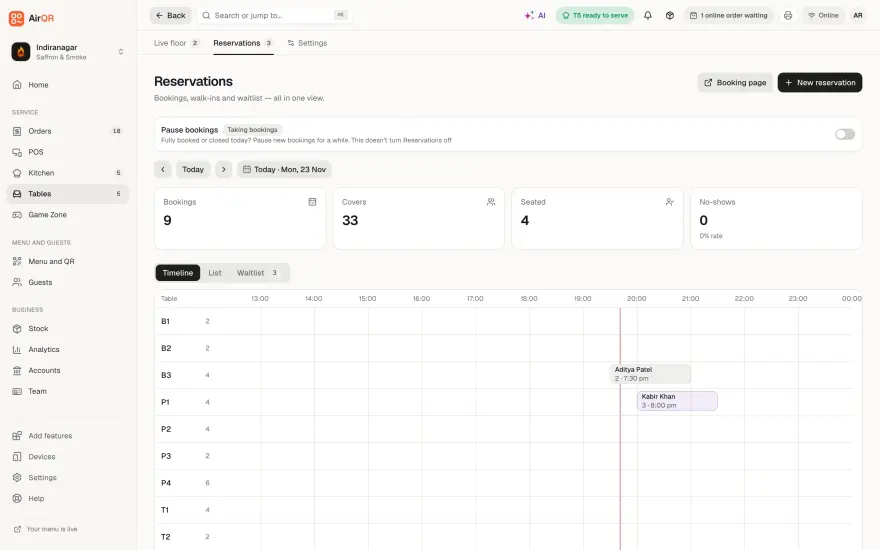
Add a phone booking from Game Zone, then Game bookings. When the guest arrives, press Check in and the Start window opens with the booking filled in.
No-shows and cancels
Mark a no-show or cancel a booking and the station is free again for that time. Guests can cancel their own booking from the page they were sent.
No online deposit
AirQR does not take a deposit online for a game booking. Staff can take payment at arrival.
Setting up your gaming cafe
Most of this is done once, before your first evening.
- Add Game Zone from Settings, then Modules
- Pick your activities, such as PlayStation, VR or pool
- Set a price per hour, per game or per pack for each
- Add the stations and print their QR cards
- Add the Games and activities tax class
- Bring in your food and drink menu
- Add your UPI ID so guests see a QR for the exact amount
- Turn on Take bookings if you want online slots
- Add your staff with a role that can run sessions
How AirQR works for gaming cafés.
What a gaming cafe needs from billing software
A gaming cafe sells time, not just plates. A PlayStation station is rented by the hour, a VR rig by the session and a pool table by the game. At the same time guests want chai, maggi and a cold drink without leaving their seat. Most billing software handles the food and leaves the clock to a notebook, a phone alarm or a whiteboard.
AirQR has a module for this called Game Zone. You list your activities and stations, set the price of each, and staff start and stop sessions from a board. The time played goes on the guest's bill beside the food. There is no table needed, so a cafe with only consoles and no dining tables works.
Game Zone is an add-on on every paid plan and is included in the free trial. The point of sale is part of every plan. See pricing for the current add-on price.
Tax and the final bill
In India, you can add a ready-made Games and activities tax class with CGST 9 percent, SGST 9 percent and the SAC code 999692. Gaming and amusement is often taxed at 18 percent, but the right rate depends on your venue and what you offer, so check it with your accountant. Your food keeps its own class and rate, and each line on the bill carries its own tax.
The bill shows the game time and the food together. You can add your UPI ID so guests see a QR for the exact amount. The bill can be printed, and the same sales feed the reports and the GST billing tools.
If a check is cancelled, its running sessions are cancelled and the stations are free again. Staff cannot change a game line's amount by hand. They stop or extend the session, and people with the Correct Game Zone time permission can adjust it.
Asked about gaming cafés, answered.
What is the best billing software for a gaming cafe in India?
The best one bills the clock and the canteen together. Look for timers by the hour, packs, bookings, GST and UPI. Try it on your own stations during a free trial.
Can AirQR bill PlayStation, VR and pool by the hour?
Yes. Each activity can be priced per hour, per game or per pack. Time is charged in blocks you choose, with an optional minimum time and free minutes.
Can guests book a game slot online?
Yes. Turn on Take bookings and switch on Guests can book a slot for each activity. Guests pick a time on your booking page. No deposit is taken online.
Can I put food and games on one bill?
Yes. Food ordered from a station with a running session goes onto the same check, or staff add it from the POS. The bill shows the game time and the food with their own taxes.
Do I need tables to use Game Zone?
No. Game Zone works without Tables. A gaming cafe with no dining tables can run on stations alone.
How much does Game Zone cost?
Game Zone is an add-on on every paid plan and is included in the free trial. See pricing for the current price.
What GST applies to game time?
Gaming and amusement is often taxed at 18 percent, but it depends on your venue and what you offer. Ask your accountant. AirQR gives each activity its own tax class, and food keeps its own rate.
Does it work on a tablet and on a phone?
Yes. The board works in the browser on a laptop or a tablet and in the AirQR Android app.



Your next service, on AirQR.
Import your menu from a photo, print your table cards, take orders today. 28 days free, no card.
Not sure which plan? See plans and prices