For bars, pubs and lounges
Bar billing software for tabs, pegs and liquor VAT
AirQR is bar billing software for pubs, lounges and bar and restaurant venues in India. Open a tab by guest name, add pegs with a short code, run happy hour on a timer and bill liquor at state VAT beside food at GST on the same bill. A dark bar screen shows the bartender what is left to pour.
- Running tabs with a limit warning
- Liquor VAT and food GST on one bill
- A dark bar screen with a To pour list
What is a bar POS system?
A bar POS system is the billing and ordering software at your bar counter. A restaurant till works with tables and plates. A bar till has to cope with a guest who stays six hours, orders in rounds, buys a 30 ml peg and a bottle on the same night and expects one bill at the end.
That is what AirQR's bar setup is for. A bar and lounge outlet starts with the Bar as its main station and a kitchen station for bar bites. Drinks go to the bar screen, food goes to the kitchen, and both end up on one check. If you serve a full dinner menu too, see AirQR for restaurants.
The bar screen is built for a dim room, with a dark, high-contrast layout and big buttons for wet hands. If your bar is bright, a sun and moon button switches that tablet to a light screen. Each shared screen can be set to English or Hindi, so the bartender reads it in the language they prefer.
A night at the bar, from happy hour to last order
This is how a typical weeknight looks when the counter runs on AirQR.
- 01
Late afternoon, getting ready
The manager checks stock for spirits and beer, marks any drink or dish that has run out as sold out and makes sure the happy hour offer is live. A Bar menu can be set to appear only after 6 pm with menu schedules.
- 02
5 pm, happy hour starts
The offer switches on by itself. The QR menu shows a Happy hour now banner with the end time, and the POS applies the discount without anyone remembering to.
- 03
Guests arrive and tabs open
The bartender opens a tab with the guest's name or as a Walk-in, and can note Visa ending 4421 or ID held. Nothing is charged. Each round goes to the bar screen as R1, R2, R3.
- 04
Busy hour, fast entry
Staff type 2*RS180 and press Enter to add two Royal Stag pegs. Bottles and cans are scanned with a barcode scanner. The tab warns when it nears the limit you set.
- 05
A party moves to a table
Tap Move to table and the tab becomes that table's check, with all its rounds. Food orders join the same bill.
- 06
Paying up
The tab is split by person, by items or by amount. Each guest gets their own printed bill and pays by their own method. The tab closes once the last split is paid.
Set up the POS for your bar
Settings, then POS settings, has a Bar setup made for this. It puts Tab first when staff start an order, then dine-in and takeaway, and it does not ask for a guest count, because nobody counts heads at a bar counter. You can still switch any part on or off afterwards, and it applies to the outlet you are working in. The POS is included in every AirQR plan, so see pricing for the rest of what you may add.
Two more switches suit a busy counter. Start every order as a walk-in keeps no name or phone on new tabs and takeaway orders, so a Walk-in 1, Walk-in 2 tab opens in one tap. The bar tab limit is an amount, say ₹5,000, at which the POS warns staff. Tab needs the bar tabs module, which you turn on in Settings, then Modules. If you want the same till to run a dinner service too, the Shared tables setup lets two parties share one table. See bar tabs.
Split a bar tab by person, by items or by amount
Groups at a bar rarely pay equally. Press Pay on the tab and choose how to split.
- 01
By person
Enter the number of people and the tab becomes that many equal bills. Any rounding left over goes to the last share.
- 02
By items
Tick what one guest had. For a drink ordered three times, such as three beers, give them just one or two. Their bill carries their share of tax and service charge, and food GST and liquor VAT stay separate.
- 03
By amount
Type a custom amount for one guest, up to what is still unclaimed.
- 04
Print and pay each bill
Every split has its own Print bill and Pay buttons, so each friend gets a bill with only their items and pays by cash, card or UPI. The tab closes when the last one is paid.
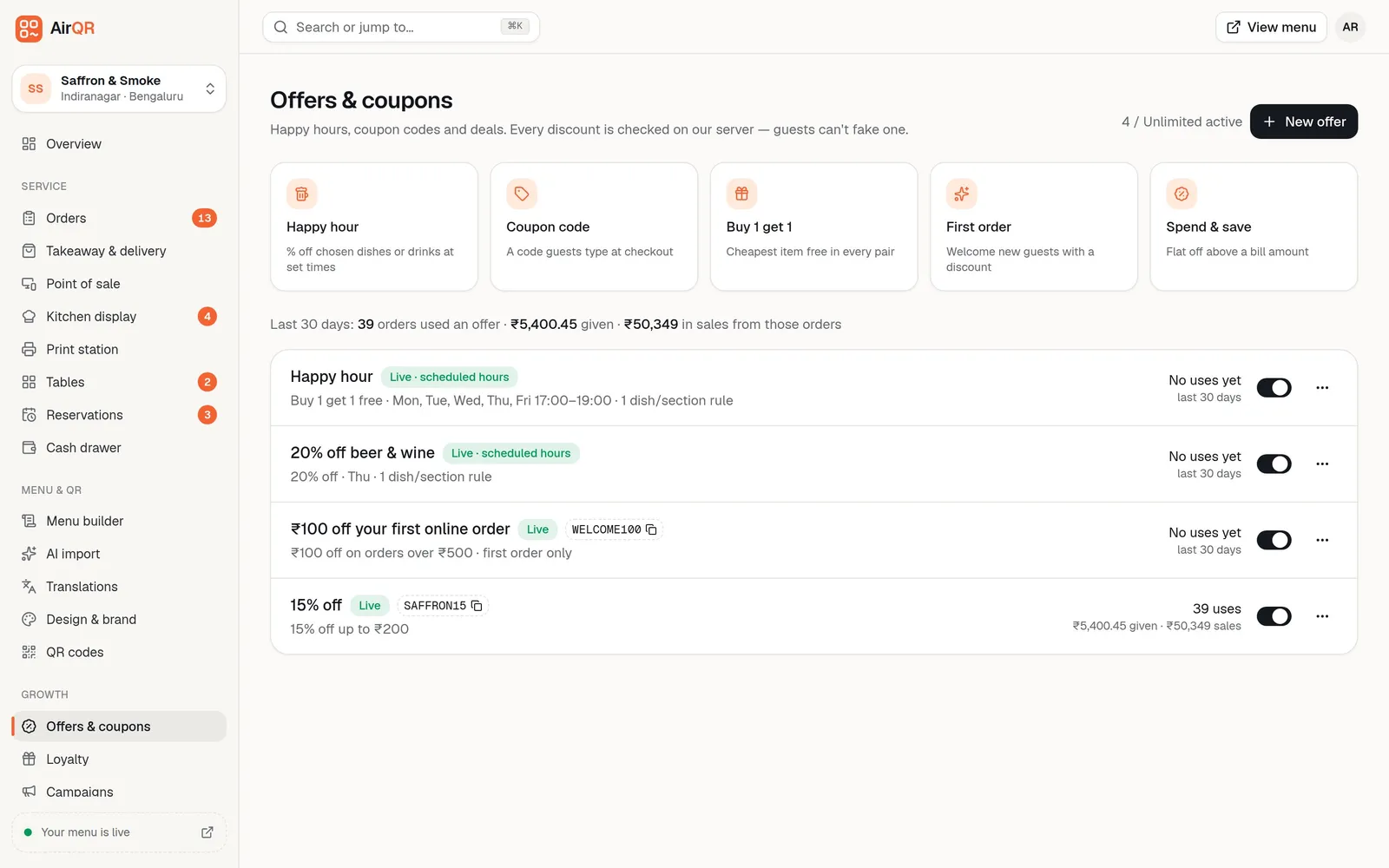
Happy hour that starts and stops by itself
Pick the drinks, set the days and the hours, such as 5 to 7 pm from Monday to Friday, and leave the coupon code empty. You can run a percentage off or a 1+1 where the cheaper drink in each pair is free. A window that crosses midnight, like 10 pm to 1 am, works too.
The time that counts is when the round is ordered. A drink ordered at 6.55 pm keeps its discount even if the bill is paid later. The bill shows the discount as its own line with the offer's name.
- Applies on the POS and the QR menu
- A yellow HAPPY HOUR tag on the bar screen
- Set up sizes such as 30 ml, 60 ml, pint and pitcher so the offer covers each one
- Switch it off from the offers list any time
Built for pegs, pints and bottles
These are the details that decide whether a bar team actually enjoys the software.
Drink sizes in one tap
Add 30 ml, 60 ml, 90 ml, Bottle, Pint and Pitcher sizes to a drink, then check each price. That makes AirQR work as beer bar billing software and for spirits alike.
Short codes for rush hour
Give each drink a code such as RS180, then type it with a quantity. Create missing codes for the whole menu in one go. They work offline too. See short codes.
Barcode scanning for bottles
Save a bottle's barcode on its drink and scan it anywhere on the POS. A USB or Bluetooth scanner works like a keyboard. See barcode scanner.
The bar screen
A screen with big text, dark by default, shows each drink with its size and where it is going, like Table 4, Tab Rahul or Token 12. The server's name is on the ticket, and a red ALLERGY tag shows if a note mentions one. Tap a drink when it is poured, and the round goes out only when the kitchen's food is ready too. The To pour list adds up what is left, so the bartender can batch pour. Owners and managers can set the bar's own target time, and a round turns amber at that time and red at twice that.
Tabs with a limit
Set a tab limit such as ₹5,000 and staff are warned from 80 percent and again when over. It is a warning only, so a manager decides what to do. See bar tabs.
Bar bites go to the kitchen
Food from your bar menu prints or shows on the kitchen station while drinks stay on the bar screen. See KOT printing.
Liquor VAT beside food GST on one bill
Alcohol for human consumption sits outside GST in India. States tax it through VAT and excise. Food and soft drinks on the same bill still carry GST. A bar therefore has two tax systems on one bill.
AirQR handles this with tax classes. Food and beverages go in a GST class, usually 5 percent split as CGST and SGST. Liquor goes in a Liquor class at your state's VAT rate. Tax-free items can have their own class. Each item is taxed in its class, and the bill shows lines such as CGST, SGST and VAT (Liquor) separately.
AirQR does not decide your VAT rate. States differ, and some charge VAT on MRP or on service charge too, so confirm the rate with your accountant before you start. When you do your monthly numbers, liquor is left out of the GSTR-1 files and shown in a separate Non-GST VAT tab with a VAT sales report by day and rate. Your accountant still files both. For GST on the food side, see GST billing.
How one bar bill is taxed
An illustrative bill with a plate of paneer tikka, a soft drink and two pegs of whisky.
- Paneer tikka
- Tax classFood and beverages
- Shown on the bill asCGST and SGST
- Soft drink
- Tax classFood and beverages
- Shown on the bill asCGST and SGST
- Whisky, two 30 ml pegs
- Tax classLiquor
- Shown on the bill asVAT at your state rate
- Anything sold tax-free
- Tax classTax-free
- Shown on the bill asNo tax line
A bill-level discount is shared across the classes in proportion to their value. A happy hour on drinks reduces the liquor VAT, not the food GST.
Bar inventory that follows each sale
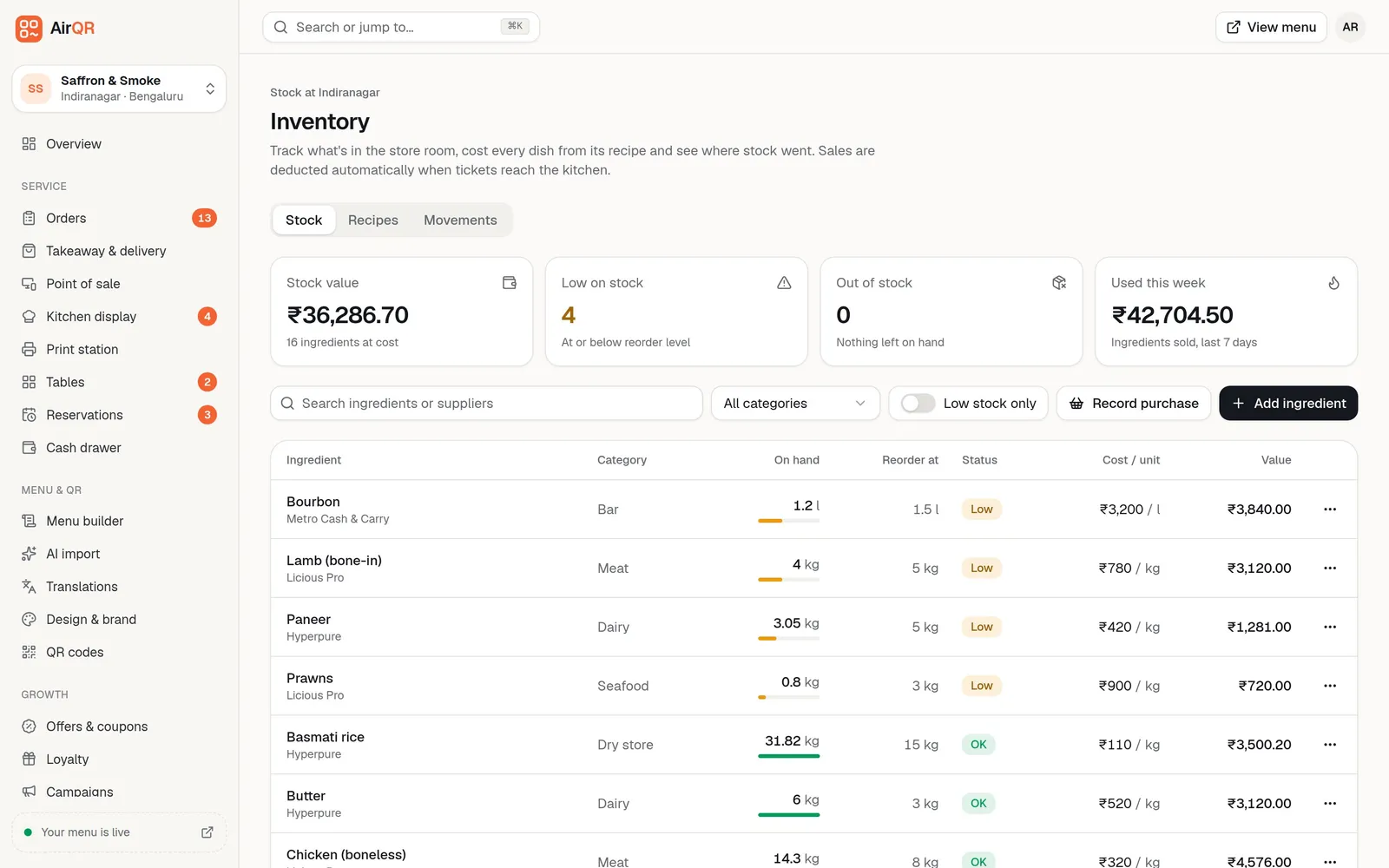
List your spirits and beer as ingredients, in litres, ml or pieces, and give each a reorder level. Stock comes off by recipe when a round is sent, and a recipe row can apply to one size, so a 30 ml peg and a 60 ml peg can take different amounts off the bottle. Voided drinks go back on the shelf.
AirQR works out stock from recipes rather than measuring each pour. Do a stock count on expensive bottles every week and it records what you found or what is missing, which is where bar inventory shows its worth. Wastage like a spilled bottle is recorded with a reason. Read more in inventory.
- Low and out-of-stock alerts on the Overview
- Counts show found and missing quantities
- Purchases update cost per unit as a weighted average
Questions
What is a bar POS system?
It is the software and counter device that takes drink orders, keeps running tabs, applies offers, prints bills and records payments at a bar. A good one also handles liquor tax and tracks stock.
Can one bill carry liquor VAT and food GST?
Yes. Tax classes tax each item in its own class, so food shows CGST and SGST and liquor shows VAT at the rate you set for your state. Confirm your state's rate with your accountant.
How do I pick the best bar management software for my bar?
Test the things only a bar needs. Ask if it keeps tabs by name, bills by peg and ml, applies timed happy hours, handles liquor VAT separately and reads bottle barcodes. Use a free trial with your own menu.
How does a bar tab stop a guest running up a huge bill?
You set a tab limit and staff get a warning from 80 percent and again when it is passed. It does not block orders, so your team decides whether to ask for a part payment.
Can I split a bar tab between friends?
Yes. Split a tab by person, by items or by amount. Each guest gets a separate printed bill with their own items and their share of tax, and pays on their own. Splitting needs an internet connection.
Does the bar get its own screen, separate from the kitchen?
Yes. Drinks go to the bar screen and food goes to the kitchen screen from the same order. Each station clears only its own items, so the bartender never clears the kitchen's dishes. The round is ready to serve when both are done.
How does AirQR keep track of liquor stock?
It takes stock off by recipe as soon as a round reaches the bar or kitchen, and a weekly count of expensive bottles shows any gap. Set a recipe for each size if a 30 ml peg and a 60 ml peg use different amounts.
Can I use it as beer bar billing software?
Yes. Add Pint, Pitcher and Bottle sizes to each beer, scan canned and bottled products, and give regulars a tab. Beer can sit in the Liquor tax class for your state VAT.
Sources
- GST Council advance ruling quoting Article 366(12A) and Section 9(1) of the CGST Act on alcoholic liquor · checked 10 October 2026
Keep reading
Try AirQR in your restaurant
Set up in minutes on the phones, tablets and printers you already have. 28-day free trial.