For bakeries, sweet shops and ice cream parlours
Bakery billing software for a counter full of cakes and sweets
AirQR is bakery billing software for bakeries, sweet shops and ice cream parlours in India. Staff bill the counter with short codes or a barcode scanner, guests order a cake for a chosen time by QR or online and collect it with a token, and regulars earn points on their phone number. AirQR prices by named size and by piece. It has no weighing scale link and no per kg pricing.
- Scheduled cake orders for pickup
- Barcode and short code billing
- Loyalty with a birthday bonus
What a bakery needs from billing software
A bakery counter sells a mixed basket in a few seconds. A guest takes two puffs, a loaf, a box of cookies and a cold drink, and pays by UPI while the next guest is already waiting. Then the phone rings for a birthday cake on Sunday. A bakery POS has to handle the quick basket at the counter and the order that is made for a later day.
AirQR treats these as two flows on one system. The counter uses the point of sale with short codes and a barcode scanner, so a basket takes a few taps. Advance orders come from a QR menu or an online ordering page, where the guest picks a pickup time that fits your slots.
Good to know before you start. AirQR does not read a weighing scale, does not price by the kilo, does not print product labels and does not track expiry dates or batches. A sweet shop that sells loose mithai by weight will still weigh it and then bill a size or a piece. Everything else on this page works today.
A Saturday at a bakery and sweet shop
Here is how a busy day can run when the counter and the cake orders share one system.
- 01
Before the shutter goes up
The manager marks the plum cake as sold out because the oven batch ran late. The dish greys out on the till and on the QR menu, so nobody sells what is not there.
- 02
10 am, packaged goods
A guest brings a pack of biscuits and a bottle of juice. The cashier scans both barcodes and the items land on the bill, then taps Charge. The guest scans the UPI QR for the exact amount and the cashier checks the credit in the UPI app.
- 03
Noon, the pastry rush
Staff type short codes like PF for a pineapple pastry, or 4*PF for four, and press Enter. With quick billing on, one Charge button adds the items, takes payment and issues a token.
- 04
Afternoon, a cake pickup
A cake ordered on Thursday is ready. The guest shows the order on their phone, staff match the token and press Handed over. If the balance was not paid, the button asks how it was paid.
- 05
Festival evening
A guest scans the counter QR on the window, picks a box of sweets, gives a name and phone and pays first. The order waits as Waiting for payment until the cashier confirms the UPI credit. A guest who never pays is cancelled by the system after the time you set.
- 06
Closing
The cashier closes the drawer and prints the Z report. The owner checks the day's sales in analytics.
Bakery billing software features for the counter
Each of these has a help page that explains the steps.
Short codes
Give every item a code such as BR for brownie. Type it and press Enter, or 6*BR for six. The code works offline too. See short codes.
A barcode scanner
A USB or Bluetooth scanner works like a very fast keyboard. Save a product's barcode on the dish and scanning adds it anywhere on the till. See barcode scanner.
Sizes as named prices
A cake can have sizes named Half kg and 1 kg, each with its own price. A tub of ice cream can be Cup, Large cup and Family pack. The menu shows the lowest price as from.
Add-ons and required choices
Build a group such as Egg or eggless and make it required. Build another for toppings with extra prices. Orders then arrive complete, with no phone call to ask.
Packing and boxes
Set a packaging charge once per order, and a parcel price on dishes that cost more to pack. Dishes eaten at the shop keep their normal price.
Sold out in one tap
Switch an item off when the tray is empty. Staff see an 86 badge and guests see Sold out. Switch it back on after the next bake.
Online pickup and scheduled cake orders
Your online ordering page lets a guest order from home and choose a pickup time. Switch on scheduled orders, set the slot length, cap the number of orders per slot so the oven is not swamped, and decide how many days ahead guests can book, up to seven. There is no commission from AirQR on your own online orders. See online ordering.
For cakes, turn off automatic accepting. Your team then checks each order and accepts it with a promised time. Guests can pay on pickup, or pay now by UPI, and an unpaid pay now order cancels itself after the time you set.
- Pickup slots inside your opening hours
- Orders per slot to protect the oven
- Staff accept each order with a ready time
A QR menu for cakes and custom orders
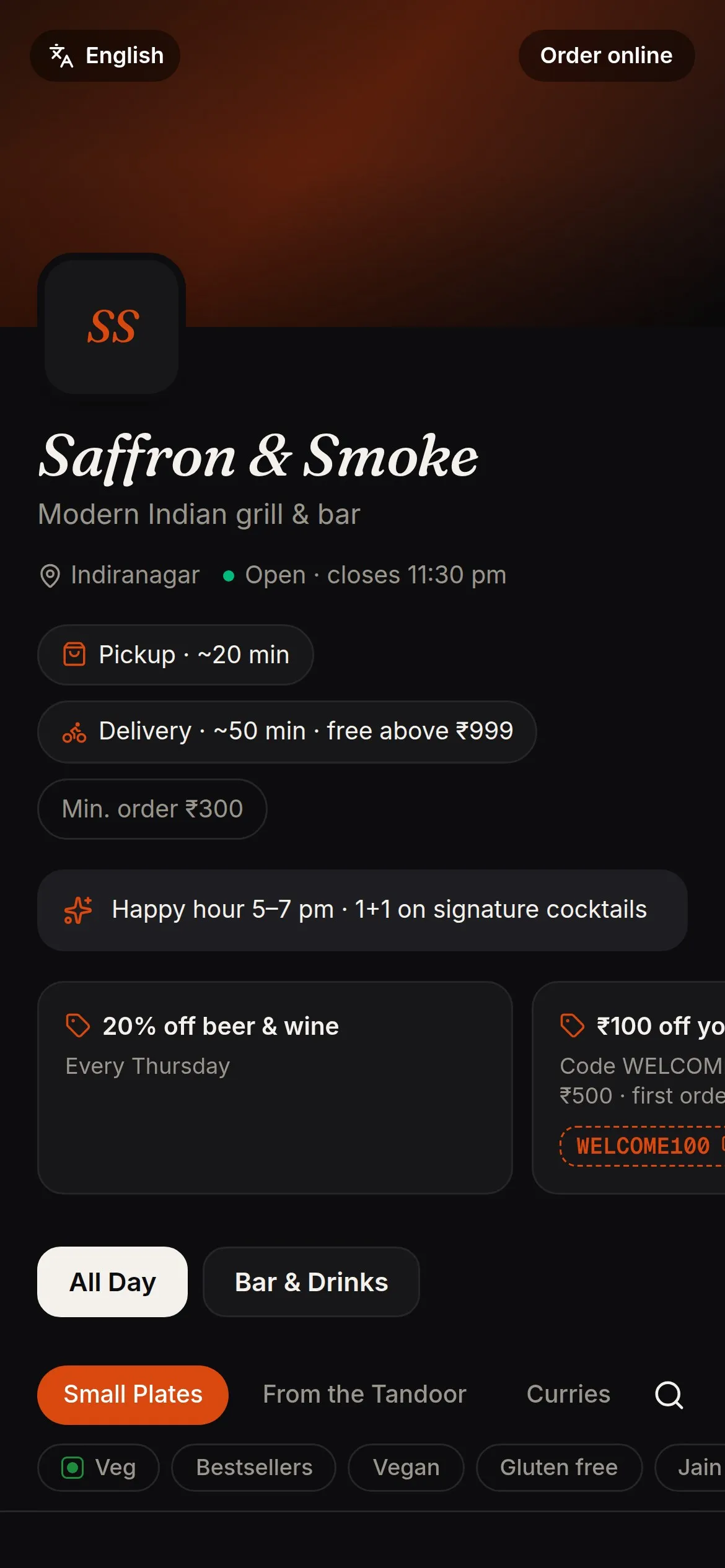
Print the QR for the glass door and stick it on cake boxes. Guests open your cakes with photos, descriptions, veg marks and a Contains egg mark. Allergens such as gluten, milk and tree nuts show on each dish. The price changes the moment you edit it, and the printed QR never needs reprinting. See the QR code menu.
A guest can add a note on a dish, such as the name to write on a cake. It prints on the kitchen ticket. For a fully custom cake, confirm the details by phone before you accept the order.
- Photos and prices that stay current
- A note on each dish for the message
- A counter QR that gives every order a token
Loyalty and birthdays for regulars
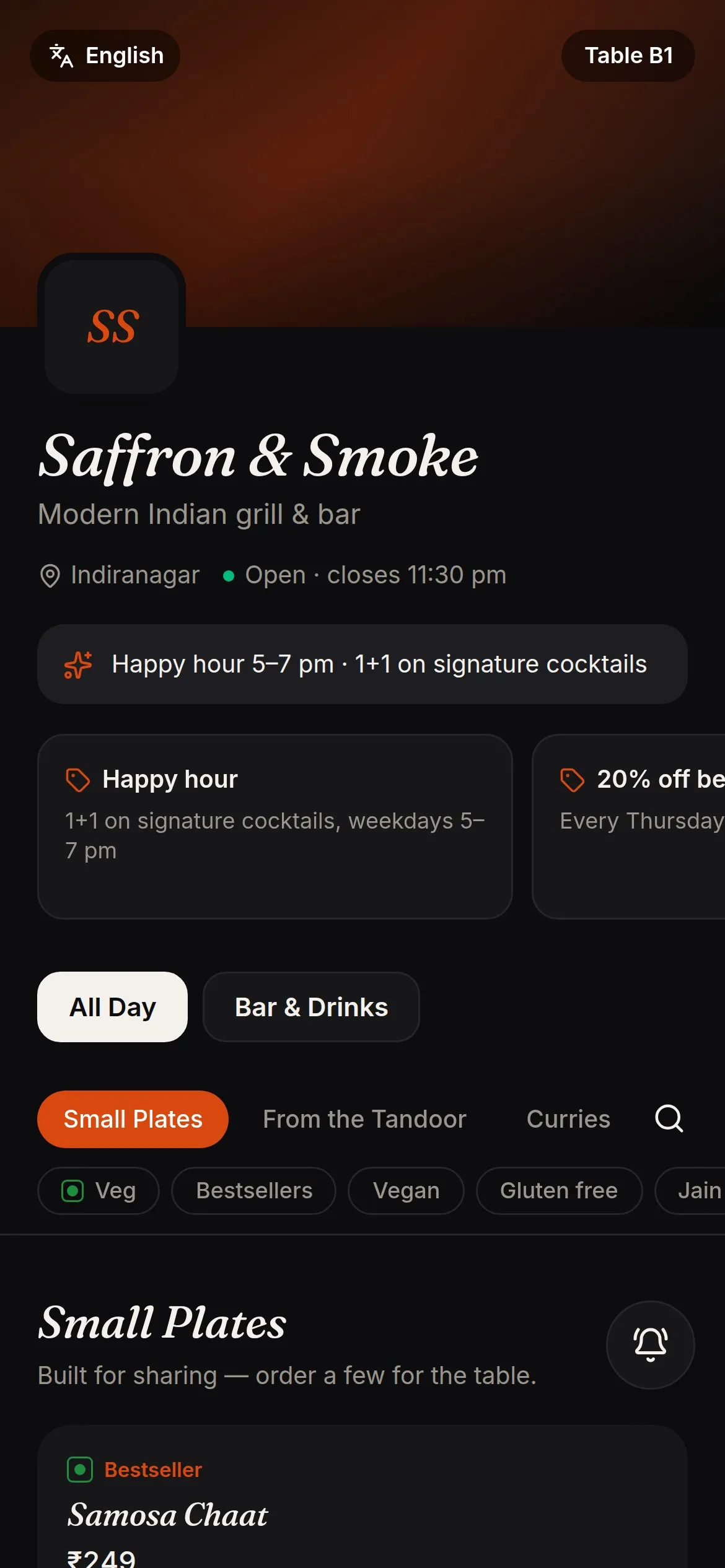
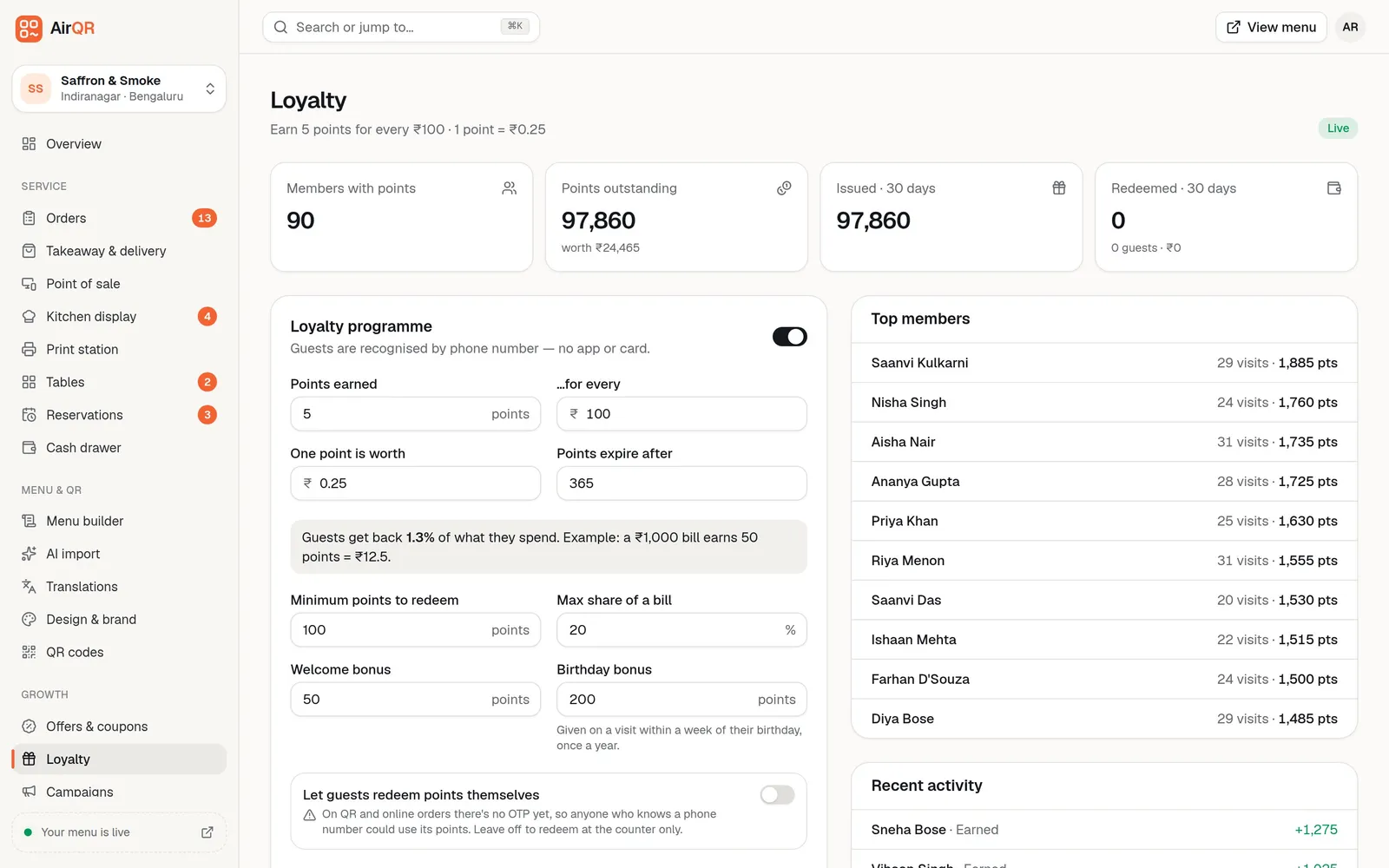
Bakeries live on regulars and birthdays. AirQR recognises a guest by phone number, so there is no card to lose. Points are earned on a paid bill and can be used on the next visit. You set the earn rate and the minimum to redeem.
A birthday bonus can be given on a visit within a week of the guest's birthday, once a year, if the birthday is on their profile. See loyalty and guest records.
Tax rates and stock for a bakery
Bakery goods, sweets and a fresh ice cream scoop can be taxed differently. AirQR has tax classes, so you can give each group of items its own GST rate and HSN code. It charges the rate you set and does not choose one for you, so confirm your rates with your accountant. The month-end files are described on the GST billing page.
If you want to watch stock, Inventory tracks ingredients such as flour, sugar and ghee in kilos and litres, and a recipe takes them off stock as a cake sells. Your plan decides whether Inventory is included, so check pricing.
Setting up your bakery counter
Most of this is done once.
- Add your items, with photos for the cakes
- Give each item a short code, and save barcodes on packaged items
- Add sizes such as Half kg and 1 kg to cakes
- Make a required group for Egg or eggless
- Turn on counter takeaway and choose pay first
- Set pickup slots and an orders per slot limit for cake orders
- Add your UPI ID so guests see a QR for the exact amount
Questions
What is the best bakery billing software for India?
Pick the one your counter staff can use at peak hour. Check that it handles short codes, a barcode scanner, UPI and pickup orders, then try it on your own menu during the free trial.
How much does bakery billing software cost?
The cost depends on your outlets and the modules you switch on. See pricing for current plans. You can try everything free for 28 days.
Can I bill by weight, per kg?
No. AirQR does not read a scale and has no per kg pricing. Weigh the item yourself and bill a named size or a piece, such as Half kg or 1 kg.
Can guests order a cake in advance?
Yes. Turn on scheduled orders on your online ordering page. Guests pick a pickup time, and you can limit orders per slot and accept each one by hand.
Does it work as sweet shop billing software?
Yes for the counter. You can bill sweets by piece or by named box size, scan packaged items and give regulars points. It does not weigh loose sweets.
Can I use it as ice cream parlour billing software?
Yes. Use sizes for cups and cones, add-on groups for toppings, Eat here and Take away at the counter, and a token for each order.
Does it print product labels or track expiry dates?
No. It prints bills and kitchen tickets, and it does not manage batches or expiry. Use your existing labels for that.
Will my bakery POS work when the internet drops?
The POS keeps taking orders and recording payments on the device and syncs later. Open it once on each counter device while online so it is ready.
Keep reading
Try AirQR in your restaurant
Set up in minutes on the phones, tablets and printers you already have. 28-day free trial.