Loyalty and guest CRM
Restaurant loyalty program software that works by phone number
AirQR gives your restaurant a loyalty program without cards or an app. Guests earn points on every paid bill, recognised by their phone number, and spend them on their next visit. The same guest book records visits, spend and favourite dishes, lets you send personal offers on WhatsApp and sends happy guests to leave a Google review.
- Points by phone number, no app
- A guest book that builds itself
- Personal offers on WhatsApp
How a restaurant loyalty program works without cards
Paper stamp cards get lost and apps never get downloaded. Most Indian guests will happily tell you their phone number, so AirQR uses that. When a guest orders by QR, orders online or gives their number to your cashier, it goes on the bill. When the bill is paid and closed, the points land in their account.
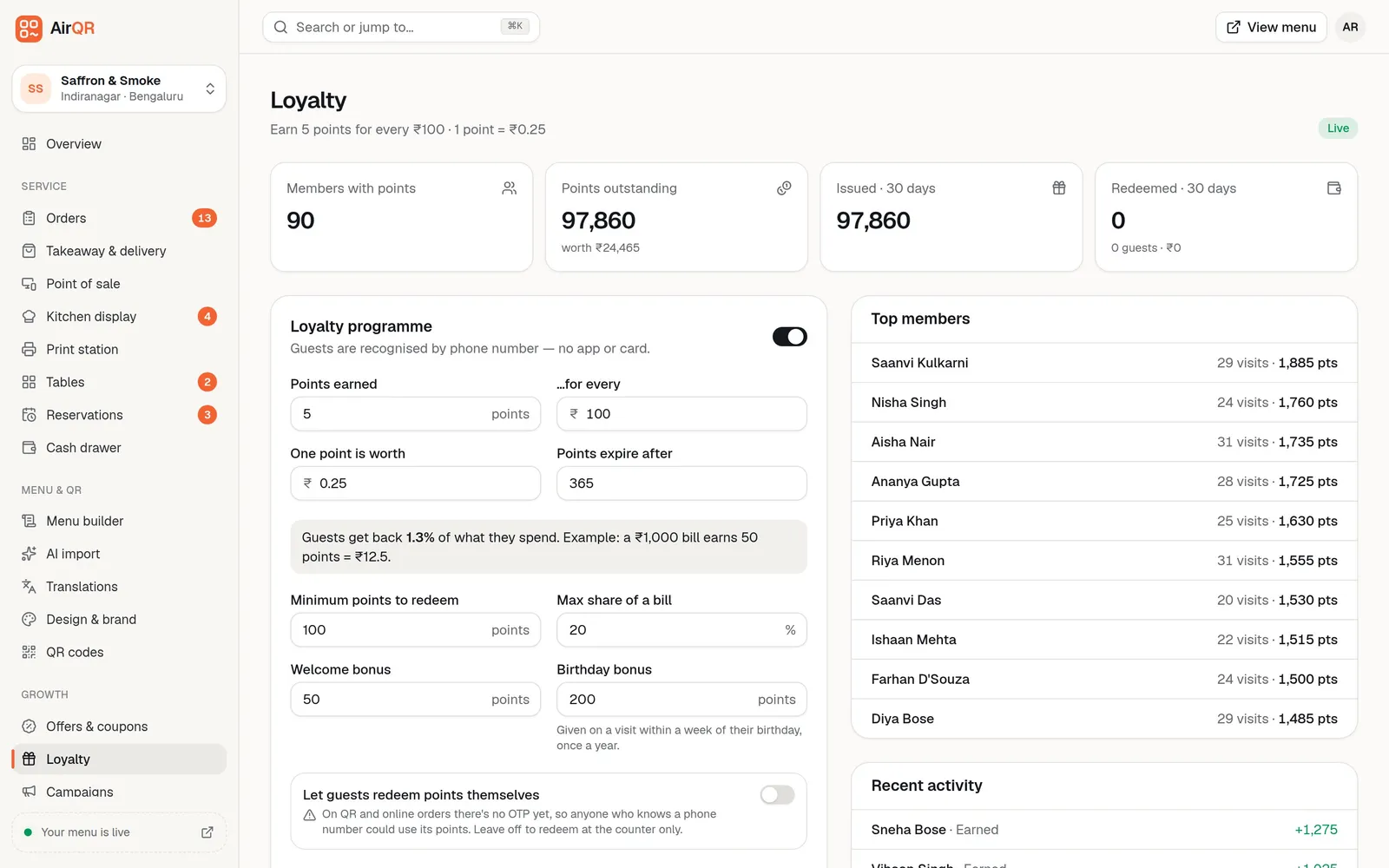
On the next visit the cashier types the number, sees the balance and presses Use points. You decide how generous it is. For example, 5 points for every ₹100 spent, with each point worth 25 paise, gives back about 1.3% of the bill. AirQR shows the percentage as you type, so you never give away more than you meant to.
The guest book and the offers sit on the same phone number. See the restaurant POS page for how bills and payments work at the counter.
Set the rules once, then let it run
You choose how many points guests earn, what a point is worth and how much of a bill points can pay for. You can add a welcome bonus for a first bill and a birthday bonus for a visit within a week of the birthday. Points can expire after a number of days, or never.
The page shows members with points, points outstanding with their rupee value, and what was issued and redeemed in the last 30 days. Top members and recent activity tell you who your regulars are.
- Points are counted on the bill total, without tips, delivery fees and packaging
- Points used on a bill are returned if the order is cancelled
- Guests can redeem at the counter, or on their own phone if you switch that on
- Owners and managers can add or remove points by hand, with a reason that is logged
A restaurant CRM that fills itself in
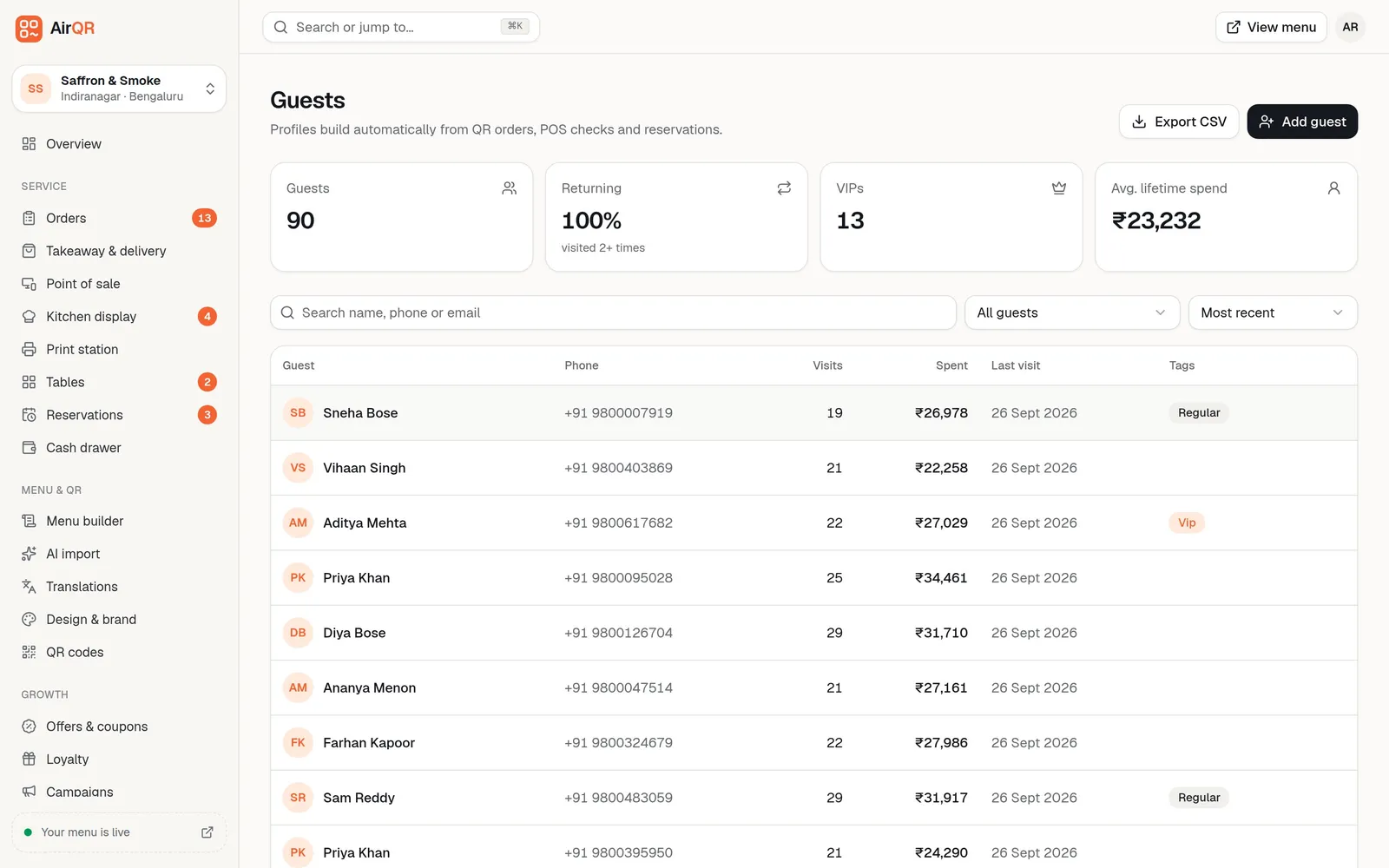
A restaurant CRM in India does not need to be complicated. AirQR creates a guest profile from QR orders, online orders, POS checks and reservations, matched by phone number, so one guest never gets two profiles. Visits and spend go up only when a bill is paid and closed.
Open a profile to see the average bill, favourite dishes, recent orders, bookings, feedback and points. Call and WhatsApp buttons sit on the profile. You can tag VIPs, note allergies and birthdays, and export the whole list to a CSV file.
- Groups such as VIP, Regulars, New, Lapsed and Birthdays this month
- Allergies show in red on the guest list
- Mark a guest Pay first only or block takeaway orders after repeated no-shows
- Erase a guest's data when they ask you to
WhatsApp marketing for restaurants, without the spam
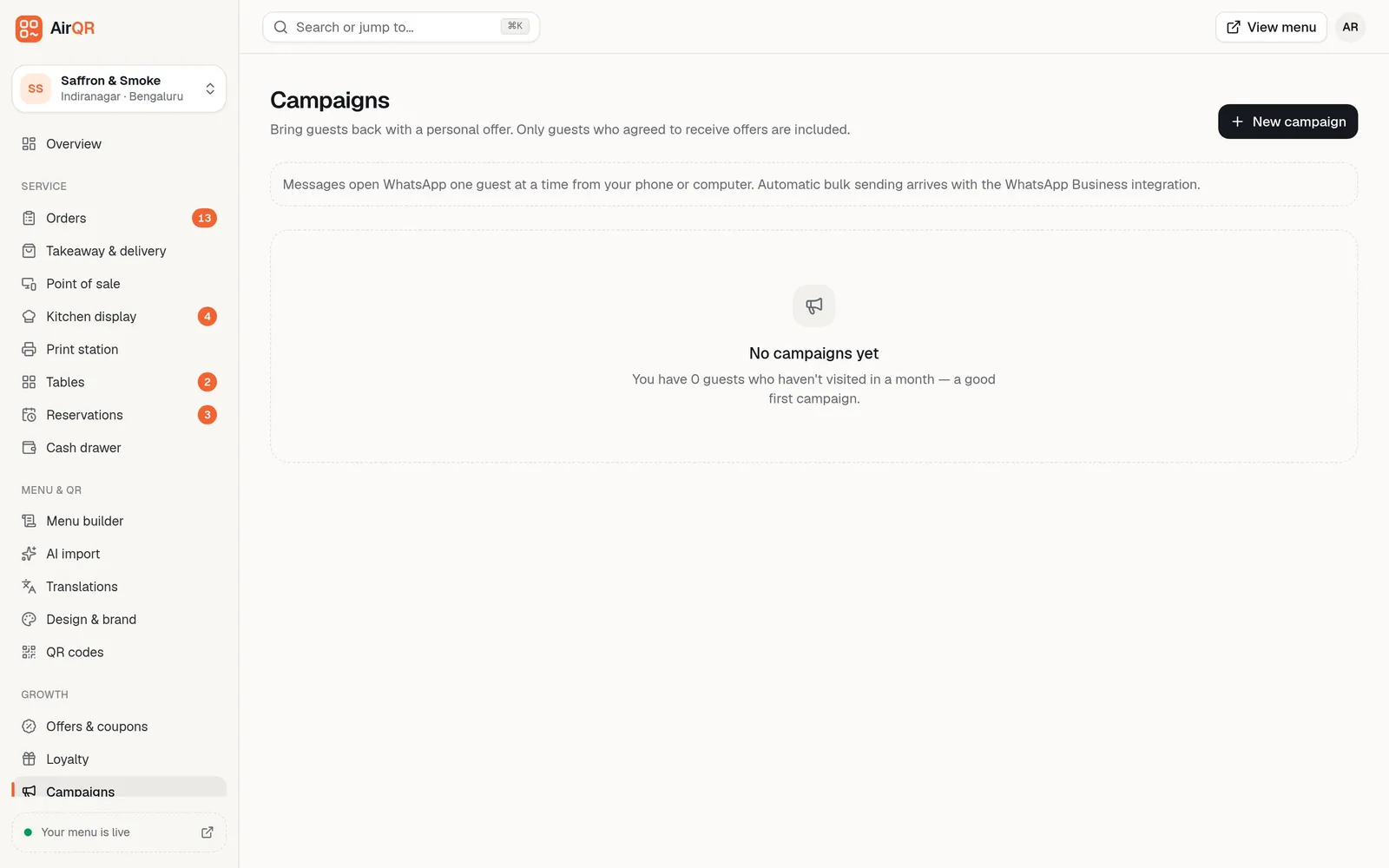
Pick a group of guests, for example those who have not visited in 30 days, and choose a reward. Each guest can get a personal single-use code such as 15% off with a minimum bill and an expiry date. AirQR writes each guest's message with their name and code.
Campaigns only include guests who agreed to receive offers. Sending is one tap per guest, which opens WhatsApp with the message ready for you to press send. AirQR does not send bulk messages by itself yet. After a campaign you see how many were sent, how many orders came back and the sales from them.
Restaurant coupons and offers that apply by themselves
Offers are checked when the order is placed, so guests cannot fake a discount. See offers and coupon codes for every setting.
Happy hour
Run 20% off drinks, or buy one get one, from 5 to 7 pm. It applies on the POS and the QR menu with no code. A Happy hour now banner shows while it runs. See happy hour.
Coupon codes
Give a code with a cap and a limit of one use per guest. Guests type it in their cart and staff can enter it on the POS.
First order and spend and save
A flat amount off a new guest's first order, or off any bill above an amount you choose.
Choose where it runs
Table QR, online orders, in-store billing, and the outlets you pick, on the days and hours you set.
See what each offer did
Each offer shows its uses, discount given and sales over 30 days.
Customer feedback for restaurants, before it goes public
After paying for a QR or online order, guests rate the visit from 1 to 5 stars and can leave a comment. Guests who give 4 or 5 stars see a button to post a Google review, once you paste your Google review link. Guests who give 1 to 3 stars are not sent to Google. Their feedback goes to your manager instead.
Low ratings from the last 14 days appear at the top under Needs a follow-up. If the guest agreed to be contacted, you get Call and WhatsApp buttons. You note what you did and mark it resolved. Ratings come only from QR and online orders, so a bill rung up at the POS does not ask for one. More in guest feedback and Google reviews.
Things to know before you switch loyalty on
A few details that matter for your guests and your margins.
- Letting guests redeem points on their own phone has no OTP check yet, so anyone who knows a number could use its points. It is off by default, and counter redemption is safer
- Only message guests who really agreed to offers. The opt-in box is on each profile
- Send to a group at most about once a week, so offers do not feel like spam
- If a bill is refunded, the points earned on it are taken back in proportion
- Points are linked to a phone number, so guests who never give one will not earn
Questions
How does a restaurant loyalty program work without a card or app?
Guests are recognised by their phone number. Points are added when a bill with their number is paid and closed, and the cashier applies them on a later visit by typing the number. Nothing needs to be installed.
How many points should I give guests?
Most restaurants keep the return between 2% and 10% of what a guest spends. AirQR shows the percentage as you set the rate and will not save anything above 25%.
Can I send offers to my guests on WhatsApp?
Yes, to guests who agreed to receive offers. AirQR builds each message and personal code, and you send each one in WhatsApp with a tap. Automatic bulk sending is not available yet.
Can I export my customer list?
Yes. Export CSV on the Guests page downloads names, phone numbers, visits, spend, tags, birthdays and opt-in status for the whole guest list.
How do I get more Google reviews?
Paste your Google review link into the Feedback page. Guests who rate 4 or 5 stars after paying are shown a button to post a review, while unhappy ratings stay private for you to fix.
Do points expire?
Only if you want them to. You can set points to expire after a number of days, or leave expiry off. Changing it affects only points earned afterwards.
Can I run a happy hour offer automatically?
Yes. Set the days and hours, pick the drinks or dishes and leave the code empty. It applies by itself on the POS and the QR menu while the window is open.
Keep reading
Try AirQR in your restaurant
Set up in minutes on the phones, tablets and printers you already have. 28-day free trial.