Sweet shop billing software for a counter full of mithai
AirQR is billing software for sweet shops and mithai stores in India. Staff bill boxes by size and loose sweets by weight, scan packaged namkeen, and take festival orders for a chosen pickup time. Regulars earn points on their phone number, and every bill carries GST and a UPI QR for the exact amount.
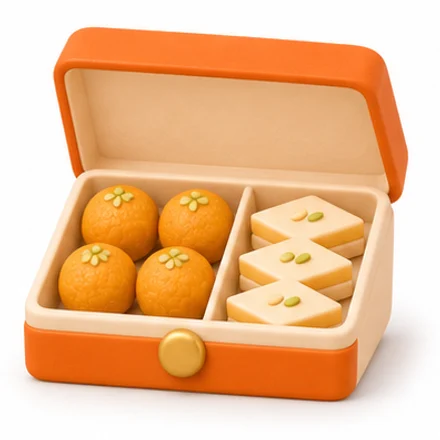
- Boxes by size, loose sweets per kg
- Barcode and short code billing
- Festival orders for pickup
A festival week at a sweet shop
This is how a busy day can run when the counter and the festival orders share one system.
- 01
Before the shutter goes up
The manager marks the motichoor ladoo as sold out because the batch is late. The item greys out on the till and on the QR menu, so nobody sells what is not there.
- 02
Loose sweets by weight
A guest wants 350 g of kaju katli. The cashier weighs it on the label scale and scans the sticker, or taps the item and types the weight. The bill shows the weight, the rate per kg and the amount.
- 03
Boxes and packets
Another guest takes a 500 g box of assorted sweets and a packet of namkeen. The cashier picks the box size and scans the packet's barcode. Both land on the bill and the guest pays by UPI.
- 04
A rush of small orders
Staff type short codes like SM for samosa, or 4*SM for four, and press Enter. With quick billing on, one Charge button adds the items, takes payment and issues a token.
- 05
A bulk order for pickup
A guest orders twenty gift boxes for a family function two days later. They pick a pickup time on your ordering page. Your team accepts the order with a promised time and takes an advance with a receipt voucher.
- 06
A festival evening
A guest scans the counter QR on the window, picks a box of sweets, gives a name and phone and pays first. The order waits as Waiting for payment until the cashier confirms the UPI credit.
- 07
Closing
The cashier counts the drawer and prints the Z report. The owner checks the day's sales by item in reports.
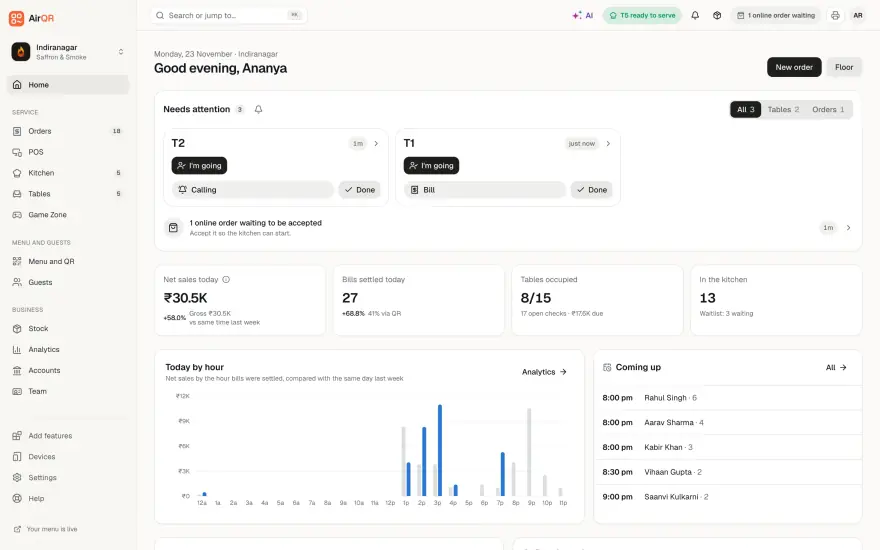
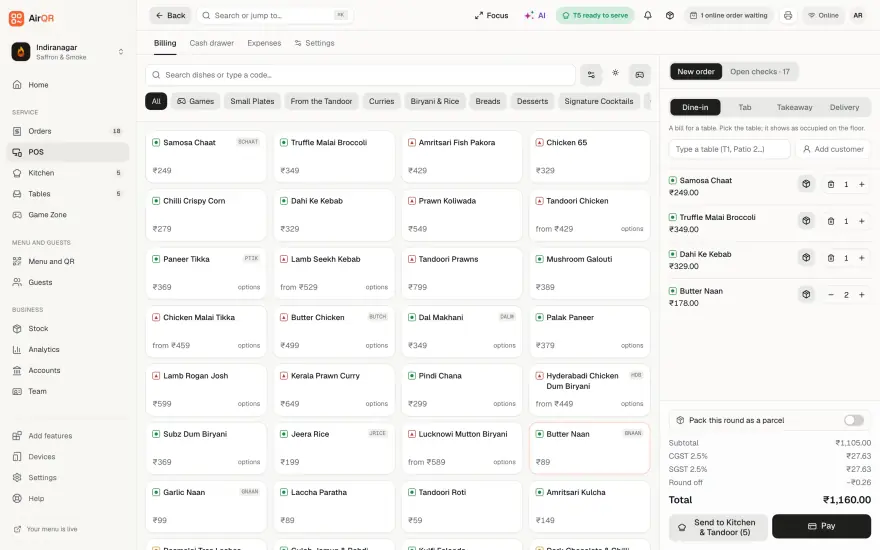
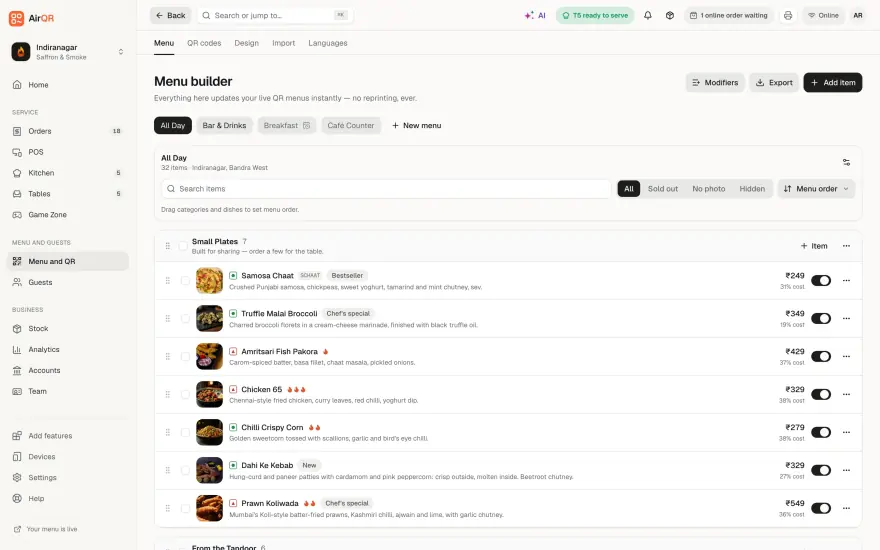
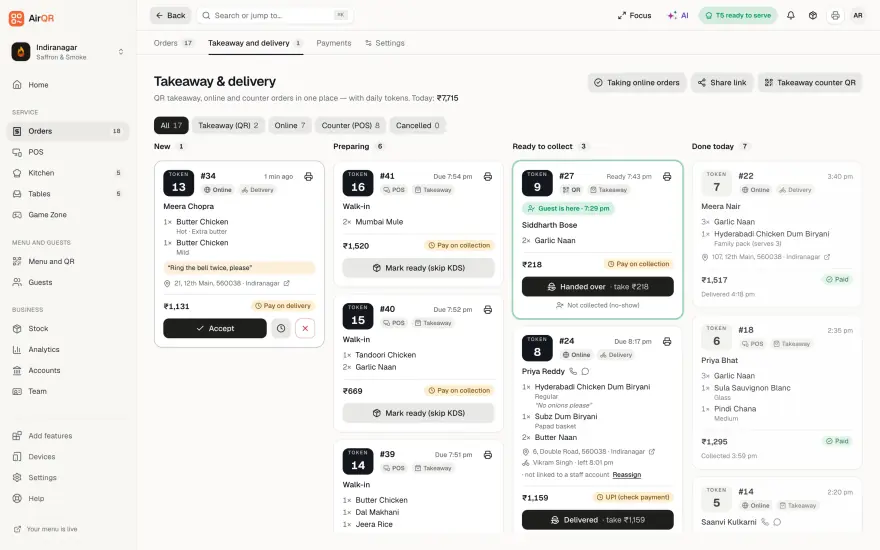
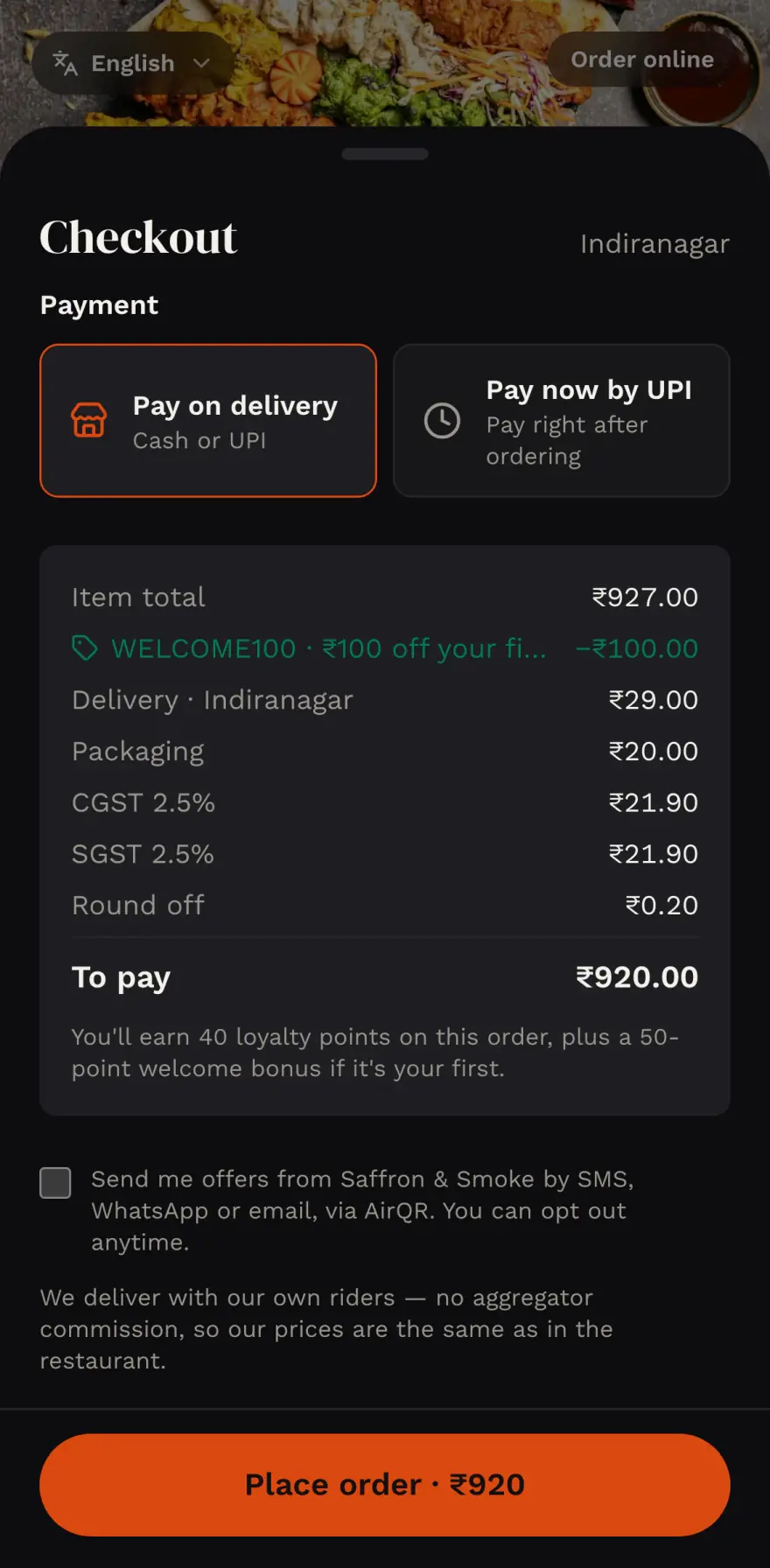
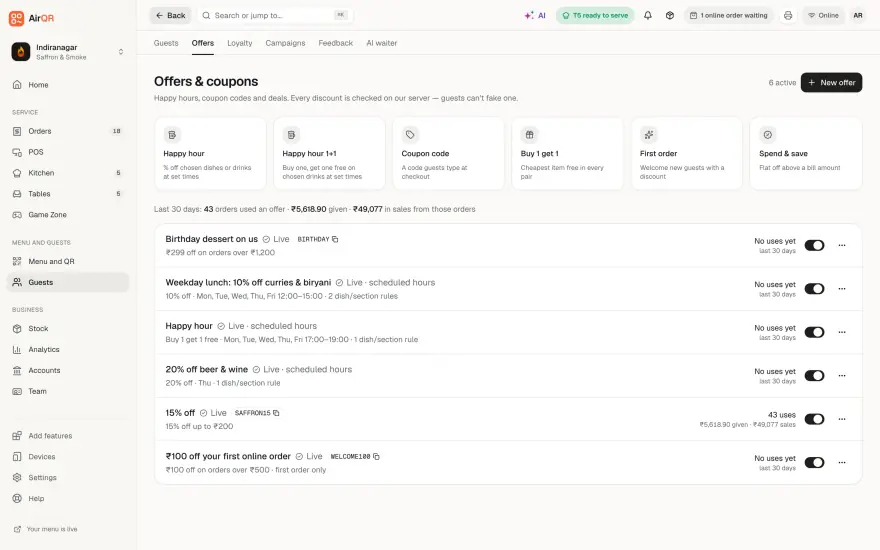
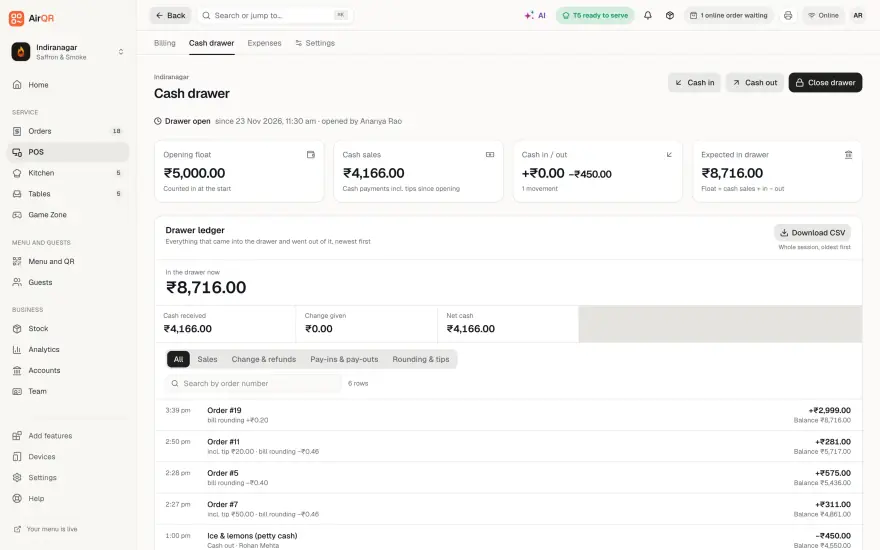
Sweet shop billing software features for the counter
Each of these has a help page that explains the steps.
Sell by weight
Set an item to be sold by weight with a price per kg, per 100 g or per g. The bill, the GST invoice and stock all use the weight. See selling by weight.
Scale stickers
AirQR reads the barcode on the sticker your label scale prints, by weight or by count. Ask your scale dealer for the format. See scale stickers.
Boxes as named sizes
A gift box can have sizes named 250 g, 500 g and 1 kg, each with its own price. The menu shows the lowest price as from. See sizes and add-ons.
A barcode scanner
A USB or Bluetooth scanner works like a very fast keyboard. Save a product's barcode on the item and scanning adds it anywhere on the till. See barcode scanner.
Short codes
Give every item a code and type it with a quantity. Codes work offline too. See short codes.
Packing and boxes
Set a packaging charge per order and a parcel price on items that cost more to pack, such as a gift box. See parcel pricing.
Festival orders and regular customers
A sweet shop earns most of its year in a few weeks, and these features help with that.
Scheduled pickup orders
Turn on scheduled orders on your online ordering page. Guests pick a pickup time, and you can cap the orders per slot and choose how many days ahead guests can book, up to seven. See online ordering.
Accept each order by hand
Turn off automatic accepting so your team checks each order and accepts it with a time. A pay now order that is never paid cancels itself after the time you set.
Advances for bulk orders
Take an advance before a large order with a receipt voucher. It is used on the final bill without paying its GST twice. See advances.
Counter QR with a token
Print the QR for the shop window. Guests order from their phone, pay first and collect with a token. See takeaway tokens.
Points and birthdays
Guests are recognised by phone number, so there is no card to lose. A birthday bonus can be given on a visit within a week of the birthday. See loyalty.
Credit for regular buyers
A hotel or an office that buys sweets every week can have a credit account. Put the bill on their credit with a due date and record the money when it comes in. See credit and dues.
Setting up your sweet shop
Most of this is done once, before the festival season.
- Add your items and give each one a short code
- Turn on Sell by weight and set the price per kg for loose sweets
- Set up your scale stickers if your scale prints them
- Add box sizes such as 250 g, 500 g and 1 kg
- Save barcodes on packaged items
- Set pickup slots and an orders per slot limit for festival orders
- Add your tax classes and your UPI ID
How AirQR works for sweet shops and mithai.
What a sweet shop needs from billing software
A sweet shop counter sells in many ways at once. One guest buys a half kilo box of kaju katli, another takes two samosas to eat standing, a third picks up a packet of namkeen and a bottle of cold drink. Before Diwali, Raksha Bandhan or Eid the counter doubles, the phone rings for bulk boxes and every guest wants a bill fast.
AirQR handles the counter with short codes and a barcode scanner, so a mixed basket takes a few taps. It prices by the piece, by a named box size and by weight. Festival orders come from a QR menu or an online ordering page, where a guest picks a pickup time and you control how many orders you take.
Good to know before you start. AirQR does not read a weight live from your scale, and it does not print product labels. For loose sweets, your own label scale prints a sticker and the cashier scans it, or the cashier types the weight when there is no sticker. Items sold by weight are not on the guest QR menu, so sell fixed boxes such as 250 g and 500 g there. Everything else on this page works today.
GST, expiry and stock for a sweet shop
Sweets, namkeen and packaged goods can be taxed differently. AirQR has tax classes, so you can give each group of items its own GST rate and HSN code. It charges the rate you set and does not choose one for you, so confirm your rates with your accountant. The month-end files are described on the GST billing page.
Sweets go off, so you may want to watch stock. Inventory tracks ingredients such as milk, sugar, ghee and dry fruit in kilos and litres, and a recipe takes them off stock as a sweet sells. For items that expire, you can switch on batch and expiry tracking, which uses the earliest expiring stock first and warns you before it expires. Inventory and expiry tracking are on Growth and above, so check pricing.
If the internet drops, the POS keeps taking orders and recording payments and syncs later. Open it once on each counter device while online so it is ready.
Asked about sweet shops and mithai, answered.
What is the best billing software for a sweet shop in India?
Pick the one your counter staff can use at peak hour. Check that it handles weight, boxes, a barcode scanner, UPI and festival orders, then try it on your own menu during the free trial.
Can I bill loose sweets per kg?
Yes. Set an item to be sold by weight with a price per kg, per 100 g or per g. At the counter, scan the sticker from your label scale or tap the item and type the weight. AirQR does not read the weight live from the scale.
Does AirQR print labels for my boxes?
No. It does not print product labels, so keep using your own label scale or sticker printer. It reads the sticker your scale prints.
Can guests order sweets for a festival in advance?
Yes. Turn on scheduled orders on your online ordering page. Guests pick a pickup time, and you can limit orders per slot and accept each one by hand.
Can guests order loose sweets by weight from the QR menu?
No. Items sold by weight are not on the guest QR menu. Sell fixed boxes such as 250 g and 500 g there, and bill loose sweets at the counter.
Can I track expiry dates?
Yes, for stock items on Growth and above. Switch on Track expiry dates for an item and AirQR uses the earliest date first and warns you before it expires.
Does it work when the internet drops?
The POS keeps taking orders and recording payments on the device and syncs later. Open it once on each counter device while online so it is ready.
How much does it cost?
The cost depends on your outlets and the modules you switch on. See pricing for current plans. You can try everything free for 28 days.
Your next service, on AirQR.
Import your menu from a photo, print your table cards, take orders today. 28 days free, no card.
Not sure which plan? See plans and prices