Dhaba billing software for a rush that never really stops
AirQR is billing software for dhabas and highway restaurants in India. Staff bill with short codes, plates come in half and full sizes, and the tandoor and the kitchen each get their own tickets. It keeps working when the signal drops, and regular drivers and fleets can eat on credit and settle later.
- Half and full plates in two taps
- Tandoor and kitchen tickets
- Works offline, credit for regulars
A day at a highway dhaba
This is how a long day can run when the counter, the tandoor and the kitchen share one system.
- 01
Before the first bus
The owner opens the POS on each device while the Wi-Fi is good, which saves the menu on the device. The dishes the kitchen has run out of are marked as sold out.
- 02
A bus stops
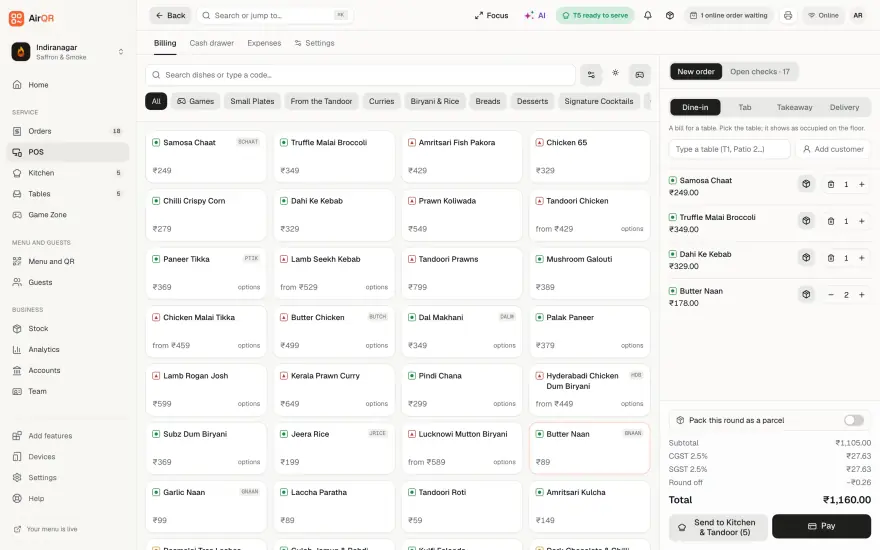
Twenty guests walk in. The cashier types short codes with a quantity, such as 6*DT for six dal tadka, and presses Enter. Each order gets a token, so guests who pay first can collect as the food is ready.
- 03
Tables and parcels
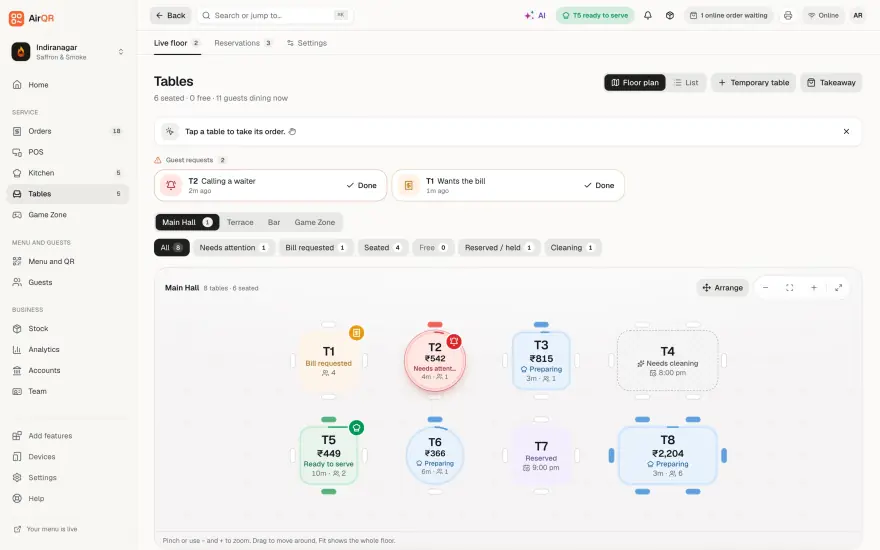
A family sits down and a captain adds to their table's check as they order. A driver wants a packed meal, so the cashier bills it as a parcel with the packing charge.
- 04
The tandoor and the kitchen
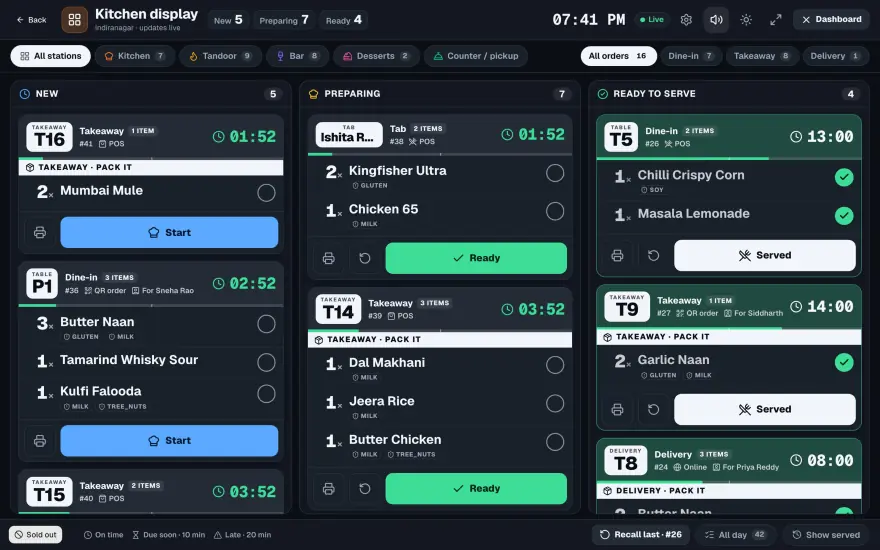
Rotis and tikkas appear on the tandoor's screen or printer. Curries and rice appear on the kitchen's. Each station clears only its own items.
- 05
The signal drops
The mobile network drops for half an hour. The POS keeps taking orders, printing and recording payments, then syncs when the signal returns.
- 06
A regular on credit
A truck driver who eats here every week has a credit account. The cashier puts the bill on his credit with a due date. When he pays at the end of the month, the cashier records the money.
- 07
Closing the drawer
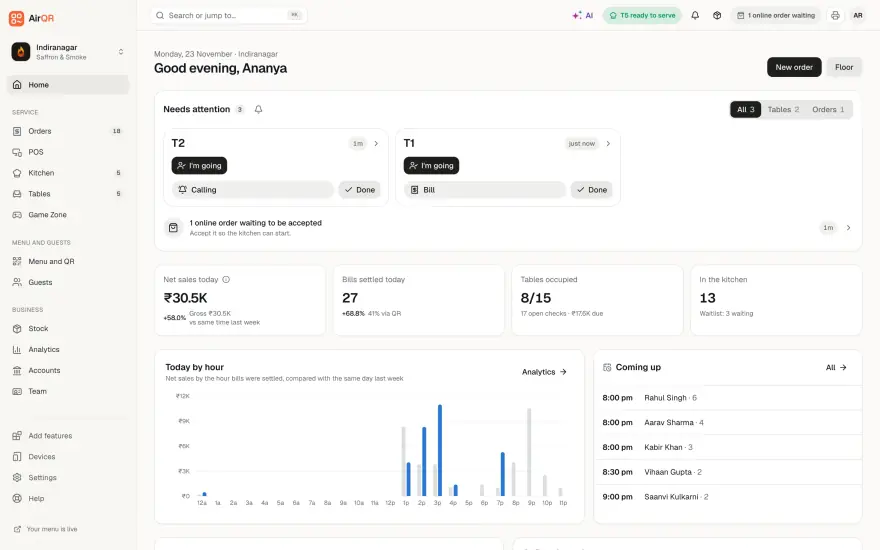
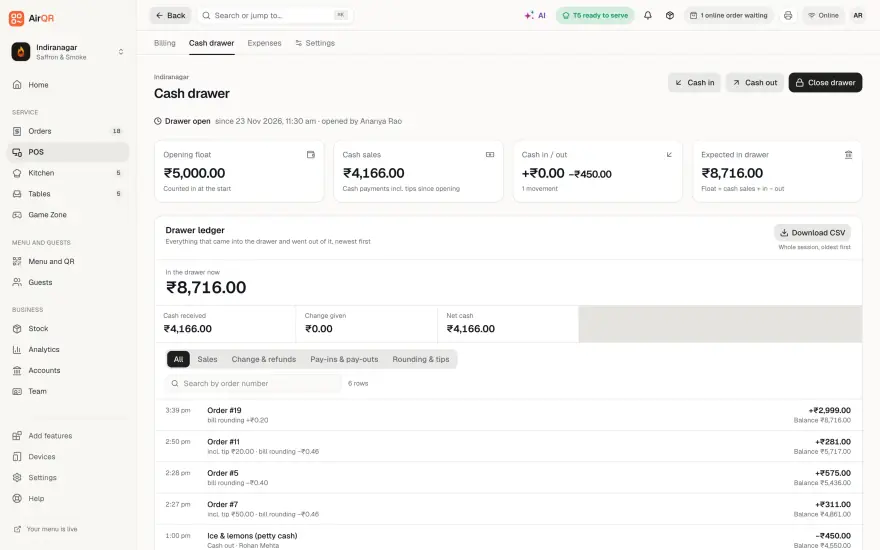
The cashier counts the cash in the drawer and closes it, which makes the Z report. The owner sees the day's sales by channel and by item.

Dhaba billing software features for the counter
Each of these has a help page that explains the steps.
Short codes
Give every dish a code such as DT for dal tadka. Type it and press Enter, or 6*DT for six. Codes work offline too. See short codes.
Half and full plates
A dish can have sizes named Half and Full, each with its own price. The menu shows the lowest price as from. See sizes and add-ons.
Choices staff never forget
Build a required group such as Roti type or Spice level, and a group for extras with their own prices. Orders arrive complete, with no shouting across the kitchen.
Stations for the tandoor and the kitchen
Set up the tandoor, the kitchen and the packing counter as stations. Each has its own screen or printer. See stations.
Parcel prices and packing
Set a packaging charge per order and a parcel price on dishes that cost more to pack. Dishes eaten at the dhaba keep their normal price. See parcel pricing.
Sold out in one tap
Switch a dish off when it is finished. Staff see an 86 badge and guests see Sold out. See sold out and availability.
Built for a long road and a long day
A dhaba runs on regulars, weak signal and tired staff, and these features help with that.
Offline billing
If the internet drops, the POS keeps taking orders, printing and recording payments. Everything syncs later. Open it once on each device while online so it is ready. See offline billing.
Credit for regulars
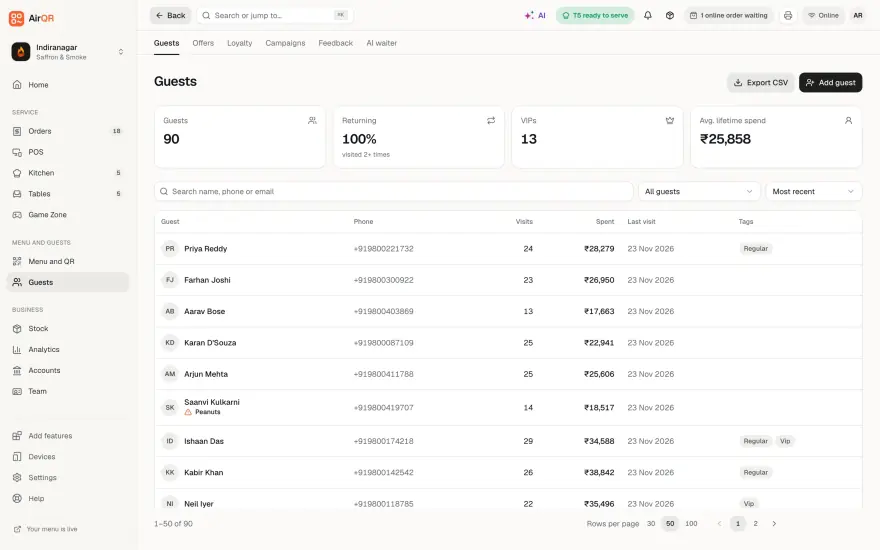
Turn on Credit and dues, add your credit customers in Guests and put a bill on their credit with a due date. You see who owes what and record the money when it comes in. See credit and dues.
Takeaway tokens
Every counter order can get a daily token that prints on the bill. Guests who pay first collect when their token is called. See takeaway tokens.
Hindi for your staff
Switch the staff dashboard to Hindi for yourself or for one shared device. Some parts stay in English. See Hindi language.
A guest menu in more languages
Add languages to your guest menu and translate it with AI. How many languages you get depends on your plan. See menu translations.
Printers and the cash drawer
Connect a USB or Bluetooth printer for bills and kitchen tickets, and keep a drawer ledger with a float and a closing count. See printer setup.
Setting up your dhaba
Most of this is done once, before your first rush.
- Add your dishes and give each one a short code
- Add Half and Full sizes where they apply
- Make a required group for Roti type or Spice level
- Set up stations for the tandoor and the kitchen
- Turn on takeaway tokens and set a packaging charge
- Add your credit customers if you give credit
- Add your UPI ID so guests see a QR for the exact amount
- Open the POS once on each device while online
How AirQR works for dhabas and highways.
What a dhaba needs from billing software
A dhaba does not have a lunch rush and a dinner rush. A bus stops and forty guests walk in at once, a family sits for an hour, a driver wants a quick parcel, and all of it can happen at midnight. Staff move fast and often share one phone. The signal on the highway is not always good. A billing system for a dhaba has to be quick to tap, forgiving of a weak connection and simple enough to teach a new helper in a day.
AirQR runs in the browser, so it works on a laptop, a tablet or a phone you already own. You bill by typing a short code or tapping a dish. Half and full plates, extra roti and a parcel are all part of the same order. The kitchen and the tandoor each see only their own items.
AirQR records payments and does not collect them. UPI goes straight from the guest to your bank account, and you confirm the credit in your own UPI app before you record it.
GST, UPI and the daily numbers
In India every line on an AirQR bill carries its own tax. AirQR charges the rate you set and does not choose one for you, so confirm it with your accountant. If your GSTIN is on the composition scheme, AirQR can switch to bills of supply with no tax. If you have no GSTIN, an Accounts page shows your sales and a ZIP for your accountant. See composition scheme and accounts without GST.
Add your UPI ID so guests see a QR for the exact amount. When the cashier closes the drawer, the Z report sums up the day's sales.
Asked about dhabas and highways, answered.
What is the best billing software for a dhaba in India?
Pick the one your staff can use in a rush and on a weak signal. Check that it has short codes, offline billing, UPI and credit for regulars, then try it on your own menu during the free trial.
Does it work when the mobile network is bad?
Yes. The POS keeps taking orders, printing and recording payments on the device and syncs later. Open it once on each device while online so it is ready.
Can I bill half and full plates?
Yes. A dish can have sizes named Half and Full with their own prices. Staff tap the size or type a short code.
Can the tandoor and the kitchen get separate tickets?
Yes. Set up each as a station with its own screen or printer. Each station sees only its own items.
Can regular drivers eat on credit?
Yes. Turn on Credit and dues, add the customer in Guests and put a bill on their credit with a due date. You record the money when it comes in.
Can I use it without tables?
Yes. Tables is an optional module. A dhaba can bill at the counter with a token for each order and switch tables on only if it needs them.
Can my staff use it in Hindi?
Yes. You can switch the staff dashboard to Hindi for yourself or for one shared device. Some parts stay in English.
How much does it cost?
The cost depends on your outlets and the modules you switch on. See pricing for current plans. You can try everything free for 28 days.

Your next service, on AirQR.
Import your menu from a photo, print your table cards, take orders today. 28 days free, no card.
Not sure which plan? See plans and prices