Offline billing
Restaurant billing software that keeps working without internet
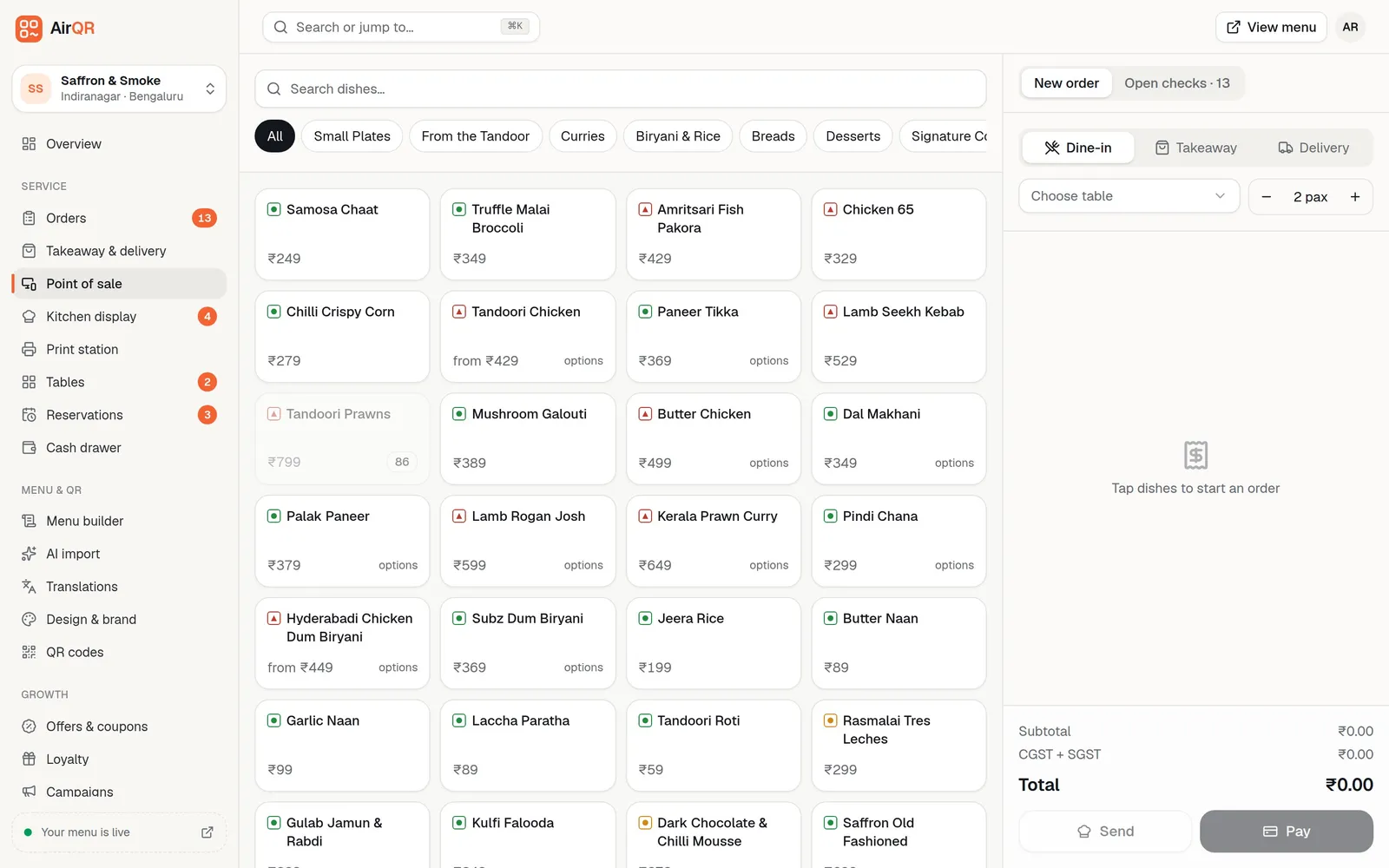
When your internet drops, the AirQR point of sale keeps taking orders, printing KOTs and bills at the counter and recording payments on the device. Everything it did is sent to AirQR exactly once when the connection returns. Some things still need the internet, and this page lists exactly which.
- Orders, KOTs, bills and payments continue
- Each change syncs exactly once
- A clear list of what needs the internet
Why a billing machine should not stop when the internet does
Restaurant internet is not always reliable. A fibre cut, a router that needs a restart or a bad evening on mobile data can arrive just as the dining room fills. A billing system that depends on the connection for every tap turns that into queues at the counter and orders written on paper.
AirQR's point of sale saves the menu, tables, open checks and outlet settings on the device while it is online. If the connection goes, it carries on from that saved copy. It records each action in order on the device and sends them to AirQR when the connection is back, so nothing is lost and nothing is applied twice.
Offline mode is part of the point of sale, not a separate product. It does not make everything work offline, and the sections below say plainly what does and doesn't.
Restaurant billing software offline, what still works
On a device that has opened the POS online at least once, your team can keep serving. The offline POS help article lists every case.
- Open a check for a table or a takeaway with name and phone, with an offline reference such as C1-0007
- Send rounds with sizes, add-ons and kitchen notes, and print the KOT on this device
- Add rounds to checks that were already open before the outage
- Give a percent or amount discount with a reason, if your role allows it
- Take cash with change, card, UPI and other payments, including split payments
- Close a fully paid check and print a bill marked PROVISIONAL
- Cancel a check that nothing was sent on
- Reprint the last KOT and print a bill
- Reload the page or restart the browser and the POS still opens
What needs the internet
These are the limits, so there are no surprises in the middle of service.
- Changing or removing items already sent to the kitchen
- Offline?No
- What to doTell the kitchen, and make the change in AirQR once you are back online.
- Coupon codes and loyalty points
- Offline?No
- What to doOffer them again once back online. Automatic offers such as happy hour still apply when you send a round.
- Refunds
- Offline?No
- What to doGive the money back as usual and record the refund once the device is online. The refund window says so.
- Moving a table
- Offline?No
- What to doWait for the connection.
- Order details page, reports and menu editing
- Offline?No
- What to doThese pages show a You're offline message. Only the POS and Print station work.
- Kitchen display screens on other devices
- Offline?Don't see offline orders
- What to doThe KOT prints at the counter and the kitchen works from paper until the POS syncs.
- QR table orders, online orders and the floor plan
- Offline?Don't see offline orders
- What to doThey run on the server, so they update when the POS device syncs.
- The first time on a new device
- Offline?No
- What to doOpen the POS once while online so the device saves its copy.
A device that has never opened the POS online shows You're offline, and this device has no offline copy of the POS yet.
Printing KOTs and bills offline
Which printer you use decides whether paper comes out during an outage. The printing overview explains the print queue in full.
USB or Bluetooth printer on a Print station
Connect the counter's KOT and bill printer by USB or Bluetooth and keep the Print station page open in the same browser. KOTs and bills still print, and a cash bill still opens the drawer.
Browser print dialog as a backup
If no print station printed it, the same receipt opens in the browser's print dialog. It works with no network.
LAN and Wi-Fi printers can't take new jobs
Printers run through the print bridge keep printing jobs already in the queue, but new jobs need the internet. For paper during outages, use USB or Bluetooth at the counter.
Nothing is cooked twice
Rounds and bills printed at the counter are marked printed locally. When they sync, they reach the kitchen display as already served and are not queued to print again.
Get each counter device ready before you need it
Do this on every billing device while the internet is up. It takes a few minutes.
- 01
Open the POS online
Sign in and open Point of sale while connected. AirQR saves the menu, tables, open checks and outlet settings on the device and gives it a code such as C1.
- 02
Leave it open for a minute
The device reserves its own offline bill numbers, such as C1-0001 and C1-0002. Each device has its own series, so two devices never clash.
- 03
Connect a USB or Bluetooth printer
Keep Print station open in the same browser if you want paper during outages. See USB and Bluetooth printers.
- 04
Check the device list
Owners and managers can see every billing counter, who is signed in and when it was last online under Settings, Devices. Name each one, for example Front counter tablet. See devices.
How AirQR knows it is offline, and what happens to your orders
A connection pill at the top of the dashboard shows Online, Offline, Offline with the number of changes waiting, or Syncing. The POS goes offline when the browser has no network, or when AirQR can't be reached twice in a row, which covers Wi-Fi that is up while the internet is down. On a flaky connection, open the pill and press Work offline so the POS stops waiting on the network.
If the connection drops while you are sending an order, the POS moves that order to offline mode. It warns you to check whether the kitchen already got it before you send again. An order you were typing is also kept on the device if the page reloads or the browser crashes, and comes back with a Discard option.
When the connection returns, the POS sends every change in the order it happened. Each is applied exactly once, even if sending is retried. Order numbers and takeaway tokens are given at that point, and your offline reference stays on the order. The POS then shows that everything is synced.
When two devices disagree after an outage
Conflicts are rare but real, so AirQR has a rule for each. Anything unusual is flagged for you to review.
- The table got an open check on another device
- What AirQR doesOffline rounds and payments are added to that check and flagged.
- A menu price changed, or an offer ran out
- What AirQR doesThe server price wins and both totals are shown.
- A dish was sold out after it was sold offline
- What AirQR doesThe sale is kept and flagged.
- A check closed offline has a higher total on the server
- What AirQR doesIt stays open with the balance due, for example ₹20 still due.
- A payment was taken for a check another device already settled
- What AirQR doesIt is recorded and flagged as a possible double payment.
- A payment was taken for a check cancelled elsewhere
- What AirQR doesIt is refused. Give the money back to the guest by hand.
- A discount was given by someone without permission
- What AirQR doesIt is refused.
A refused change stays on the device and retries by itself. A manager can review it and discard it. Don't sign out with unsynced changes, because signing out deletes them from the device after a warning.
Offline tips for owners and managers
- For UPI, the guest's phone needs data. Check your UPI app before you record the payment
- Open Changes on the POS after every outage to see what was refused and why
- The sync page lists the last 7 days of changes that were refused or applied with differences, each linked to its order
- Keep the POS tab open until the pill says everything is synced
- Use a USB or Bluetooth printer at the counter if paper matters during outages
- If orders look lost or sync keeps failing, call AirQR support straight away. The numbers are on the contact page
Questions
Does restaurant billing software work without internet?
AirQR's point of sale does, for the counter's main work. It opens checks, sends KOTs, takes payments and prints bills on the device, then syncs when the connection returns. Refunds, coupons, loyalty points and menu editing still need the internet.
Can I print KOTs and bills when the internet is down?
Yes, with a USB or Bluetooth printer on a Print station tab in the same browser, or through the browser's print dialog. LAN or Wi-Fi printers on the print bridge can't take new jobs while offline.
Will my kitchen display show offline orders?
Not until the POS device syncs. Other devices, including kitchen displays, QR table ordering and online orders, run on the server. That is why the KOT prints at the counter and the kitchen works from paper meanwhile.
What happens to offline orders when the internet comes back?
Every change is sent in order and applied exactly once. If something conflicts, such as a table that got another check, AirQR flags it for review instead of losing it. Rounds already printed arrive on the kitchen display as served.
Can I accept UPI payments offline?
The offline POS draws a UPI QR on the device, but the guest's phone needs data to pay. Confirm the money arrived in your UPI app before you record the payment.
Does every device need setting up for offline use?
Yes. Each device must open the POS online at least once so it can save the menu, tables and a device code. A device that never has shows that it has no offline copy yet.
Can I give a refund while offline?
No. Give the money back as usual and record the refund when the device is back online. The refund window explains this.
Keep reading
Try AirQR in your restaurant
Set up in minutes on the phones, tablets and printers you already have. 28-day free trial.