Juice bar and tea stall billing software for a fast counter
AirQR is billing software for juice bars, chai stalls and shake counters in India. Staff bill cups by size with short codes, guests choose sugar and extras, and every order gets a token that is called when the drink is ready. It takes UPI and cash, and keeps working when the internet drops.
- Cups by size with sugar and extras
- Tokens called on a ready screen
- UPI, cash and offline billing
A hot afternoon at a juice and tea counter
This is how a busy day can run when the counter, the machines and the line share one system.
- 01
Opening
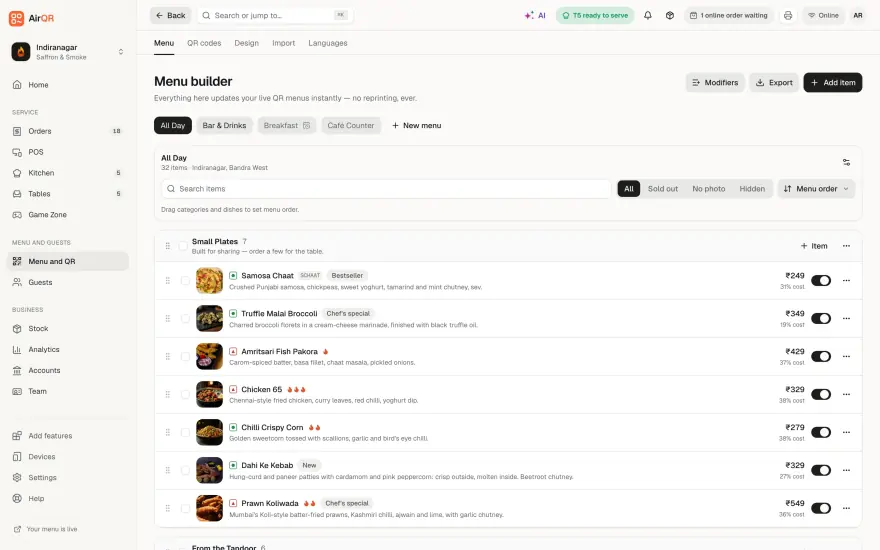
The owner marks the fruit that has not arrived as sold out. It greys out at the till and on the QR menu, so nobody orders a pomegranate juice that cannot be made.
- 02
The morning chai
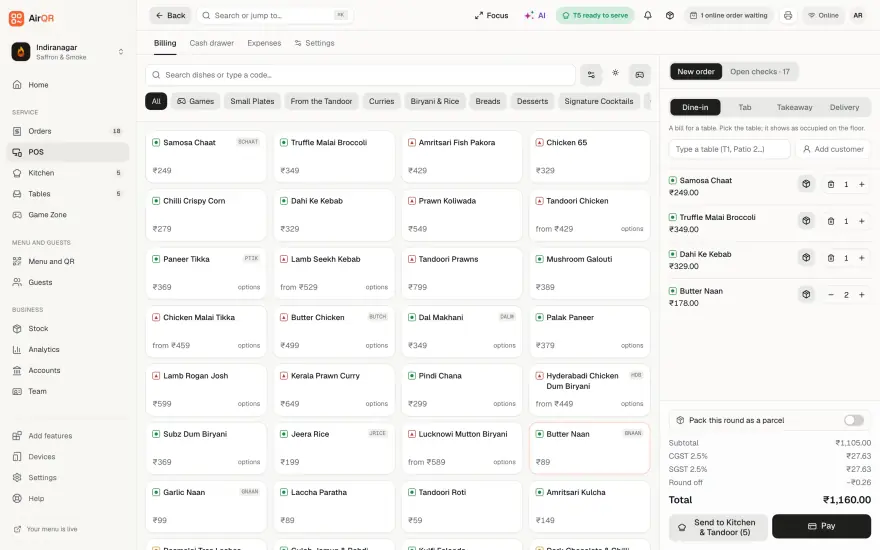
A morning menu shows tea, coffee and snacks. Staff type 3*CH for three chai and press Enter. With quick billing on, one Charge button adds the items, takes payment and issues the token.
- 03
A custom juice
A guest wants a large mosambi with less sugar. Staff tap Large, choose the sugar level from a required group and add ginger as an extra with its own price.
- 04
The line grows
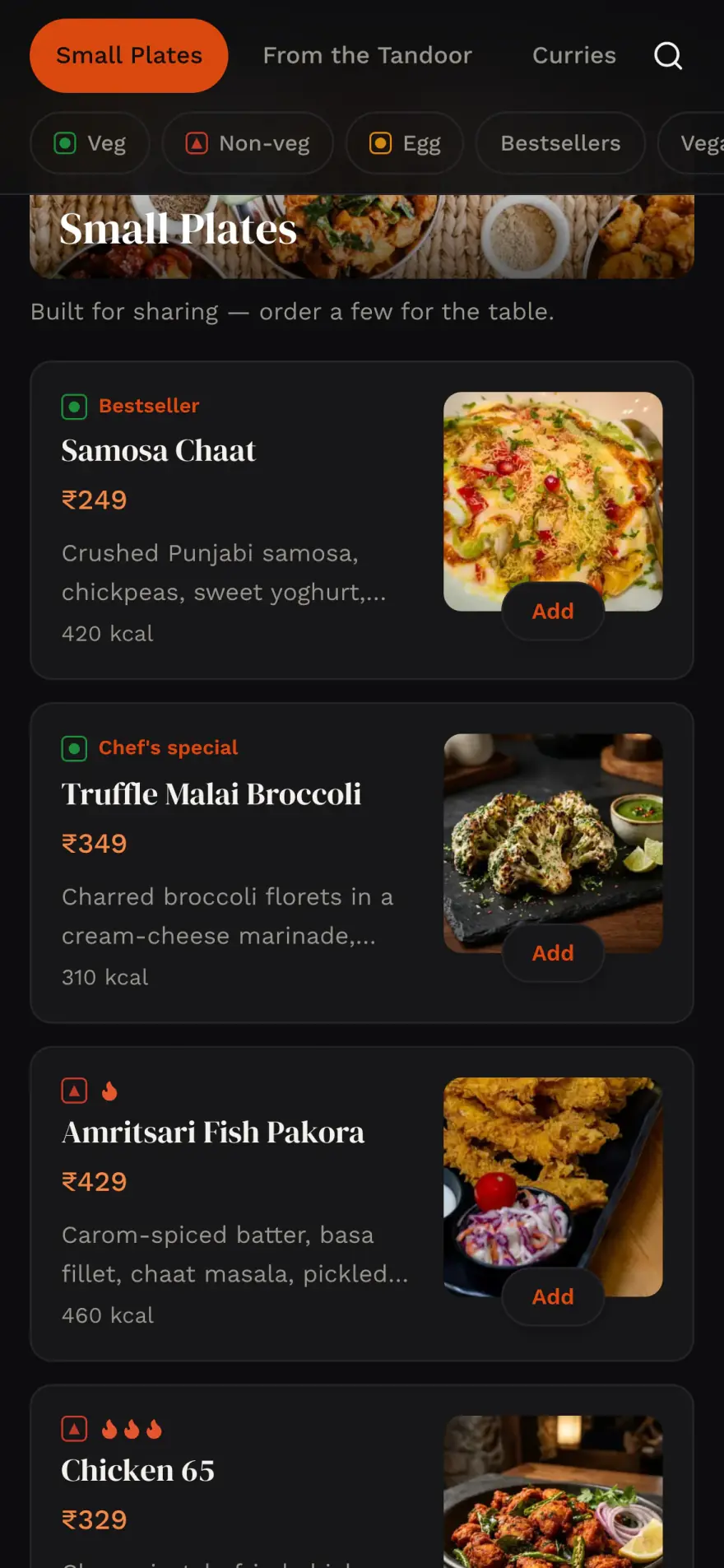
Guests who scan the counter QR on the window order from their phone and pay first. Their orders join the same queue and get tokens too.
- 05
Calling tokens
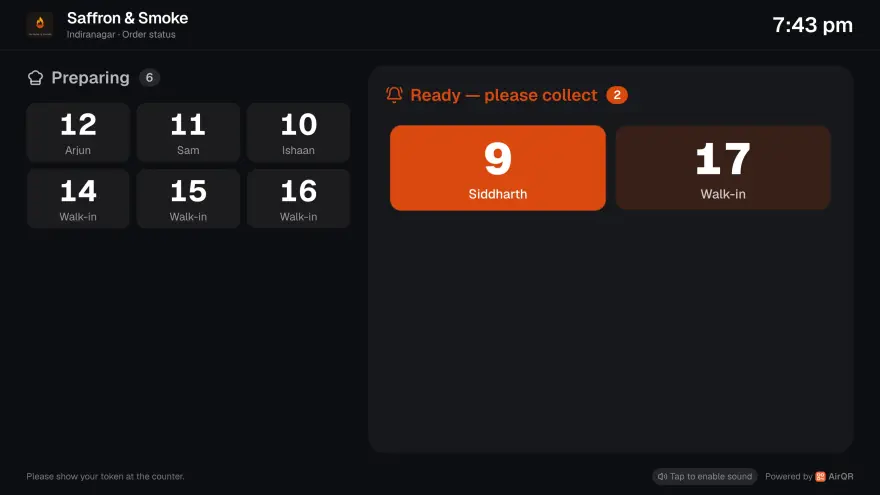
When a juice is ready, its token moves to Ready on the order-ready screen with a chime. Guests look up and collect, and nobody shouts a name.
- 06
A happy hour
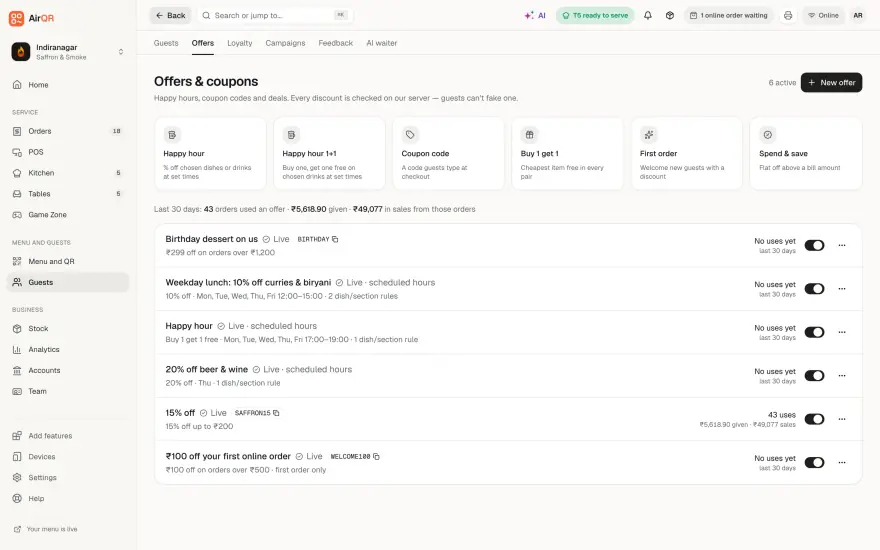
From 4 to 6 pm the shake counter runs an offer such as 20 percent off. It applies on its own at the till and on the QR menu.
- 07
Closing
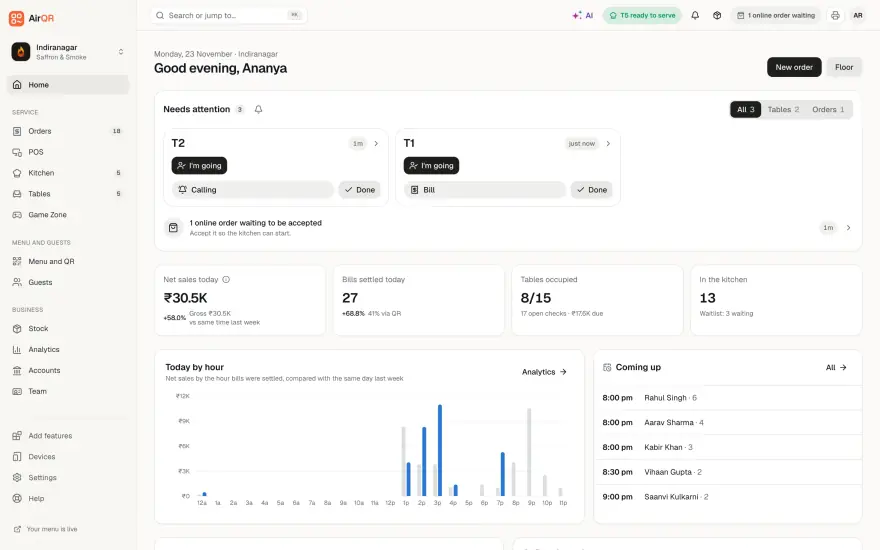
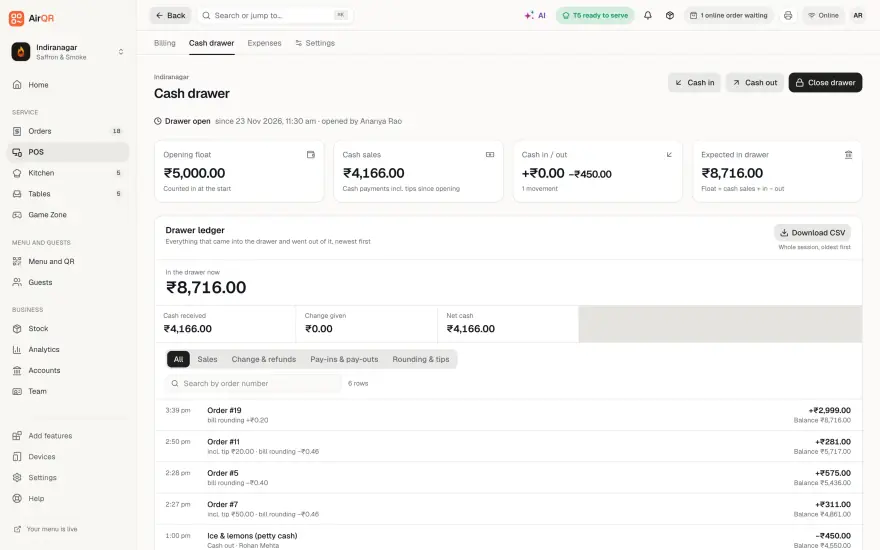
The cashier counts the drawer and closes it, which makes the Z report. The owner sees sales by item, so the best sellers are clear.
Features for cups, sizes and quick orders
Each of these has a help page that explains the steps.
Sizes as named prices
A drink can have Small, Regular and Large, each with its own price. The menu shows the lowest price as from. See sizes and add-ons.
Sugar levels and extras
Build a required group such as Sugar level and a group for extras such as ginger, elaichi or a scoop of ice cream, each with its own price and a minimum and maximum.
Short codes
Give every drink a code such as MG for mosambi. Type it with a quantity and press Enter. Codes work offline too. See short codes.
One-tap Charge
Quick billing shows one big Charge button that adds the items, takes the money and issues the token. The send button shows only when a kitchen screen or printer needs telling.
Packing for takeaway
Set a packaging charge per order and a parcel price on items that cost more to pack, such as a carrier of four cups. See parcel pricing.
A switch for each option
When the ice or the ginger runs out, switch that option off. Guests see it as sold out and cannot pick it.
Tokens, menus by the hour and offers
A small counter still needs a calm line, and these features help.
Order-ready screen
Put a TV near the counter. Guests see their token move from Preparing to Ready. See the order-ready screen.
Takeaway tokens
Every order can get a daily token that prints on the bill. Guests can pay first or pay when they collect. See takeaway tokens.
A different menu by time of day
Show a chai and snacks menu in the morning and a shake menu in the evening. See menu schedules.
Happy hour offers
Run an offer such as 20 percent off for a few hours. It applies on its own on the POS and the QR menu. See happy hour.
A self order kiosk
A tablet at the counter lets guests order and pay themselves in English or Hindi and get a token. See self order kiosk.
Points for regulars
Guests are recognised by phone number. Points are earned on a paid bill and spent on the next visit, so a regular who comes every morning is rewarded. See loyalty.
Setting up your juice bar or tea stall
Most of this is done once, before your first morning.
- Add your drinks with sizes and a short code for each
- Make a required group for sugar level and a group for extras
- Turn on takeaway tokens and quick billing
- Set a packaging charge
- Put the order-ready screen on a TV
- Add your UPI ID so guests see a QR for the exact amount
- Print the counter QR for the window
- Open the POS once on each device while online
How AirQR works for juice and tea bars.
What a juice bar or tea stall needs from billing software
A chai stall or a juice counter sells hundreds of small orders a day, and every one has a twist. One guest wants less sugar, another wants ginger, a third wants a large mosambi with no ice. The line is short only if the order is taken in seconds. The software has to be quick, and it has to carry the small choices to whoever makes the drink.
AirQR works on a phone, a tablet or a laptop. Staff type a short code or tap a size, tick the extras and take payment. The order gets a token and the drink is made from a ticket that shows the size and the choices. Many stalls have no room for a till, so a phone and a small Bluetooth printer is enough.
AirQR records payments and does not collect them. UPI goes straight from the guest to your bank account, and you confirm the credit in your own UPI app before you record it.
Stock, tax and working on a phone
If you want to watch stock, Inventory tracks ingredients such as milk, tea leaves, sugar and fruit in kilos and litres, and a recipe takes them off stock as a drink sells. Inventory is on Growth and above, so check pricing.
In India every line on an AirQR bill carries its own tax. AirQR charges the rate you set and does not choose one for you, so confirm it with your accountant. If your GSTIN is on the composition scheme, AirQR can switch to bills of supply with no tax. See composition scheme.
AirQR runs on a phone, so a stall with no counter can bill from one. If the internet drops, the POS keeps taking orders and recording payments and syncs later. Open it once on each device while online so it is ready.
Asked about juice and tea bars, answered.
What is the best billing software for a juice bar or tea stall in India?
Pick the one that is quick at a busy counter. Check that it handles sizes, extras, short codes, tokens and UPI, then try it on your own menu during the free trial.
Can I bill cups by size?
Yes. A drink can have named sizes such as Small, Regular and Large, each with its own price. Staff tap the size or type a short code.
Can guests choose less sugar or add ginger?
Yes. Build a required group for the sugar level and a group for extras with their own prices. The choice prints on the ticket behind the counter.
Can I use it on a phone at a small stall?
Yes. AirQR runs in the browser on a phone, a tablet or a laptop. A small Bluetooth printer can print the bill and the token.
How do guests know when their drink is ready?
Each order gets a token. When the drink is ready, the token moves to Ready on an order-ready screen with a chime.
Can I run a happy hour on shakes?
Yes. Set up an offer such as 20 percent off for certain hours. It applies on its own on the POS and the QR menu.
Does it work when the internet drops?
The POS keeps taking orders and recording payments on the device and syncs later. Open it once on each device while online so it is ready.
How much does it cost?
The cost depends on your outlets and the modules you switch on. See pricing for current plans. You can try everything free for 28 days.
Your next service, on AirQR.
Import your menu from a photo, print your table cards, take orders today. 28 days free, no card.
Not sure which plan? See plans and prices