QR code menu
A QR code menu that looks like your restaurant
AirQR turns your menu into a digital menu card that opens when a guest scans the QR code on the table. It carries your logo, colours and photos, shows today's prices and marks sold-out dishes so nobody orders them. Guests need no app, and you never reprint a card when the menu changes.
- No app for guests
- Change prices without reprinting
- Menu in Hindi and 22 more languages
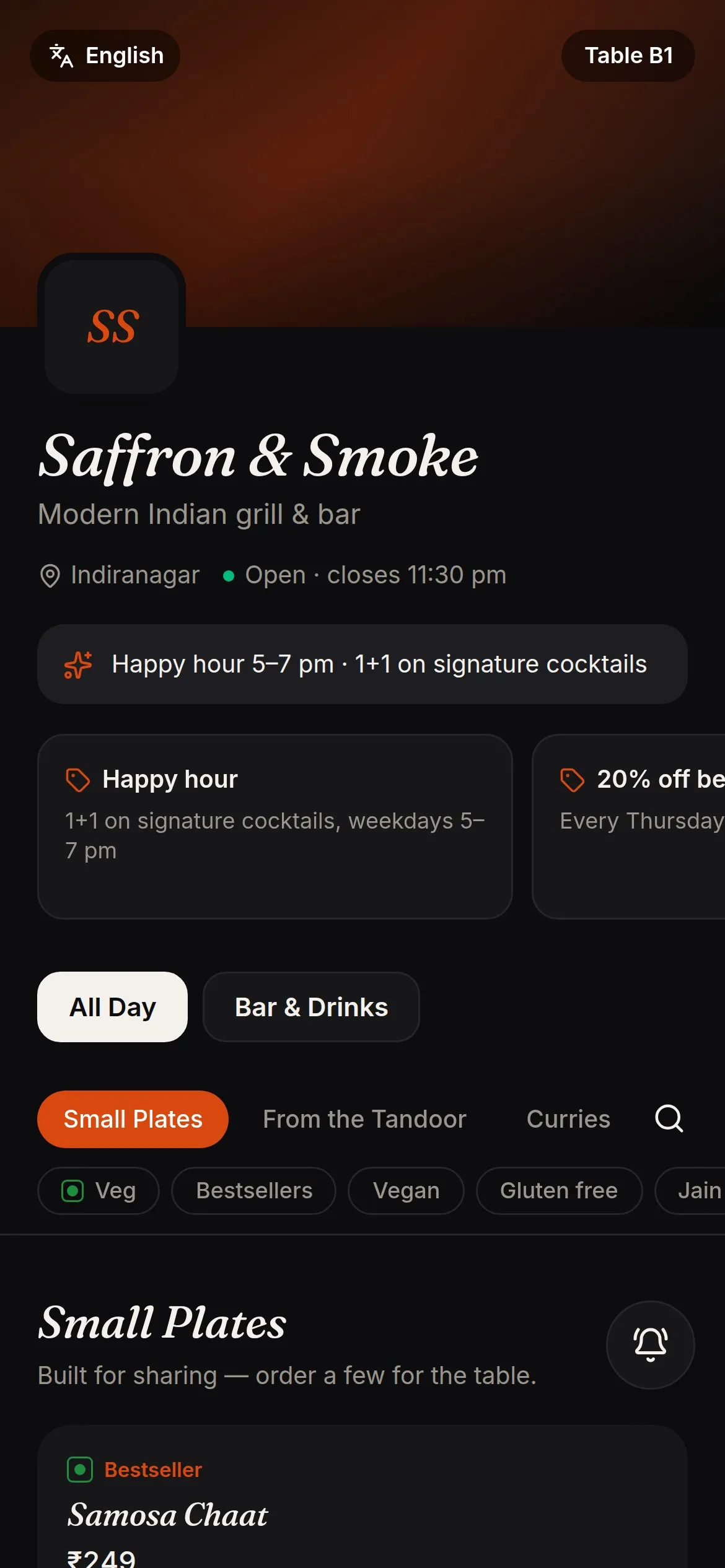
What guests see when they scan
A guest points the phone camera at the code on a table card, standee or sticker, and your menu opens in the browser. Nothing is installed. They see your cover photo and logo, the menus that are on right now, and each dish with its photo, price and veg mark. If you want the full picture of how this works, read how QR code menus work.
With AirQR the code is dynamic. It points to your live menu, not to a fixed PDF, so when you change a price, add a special or mark a dish sold out, every printed code shows the change at once. You print your table cards once and keep them.
You can run AirQR as a menu only, with ordering switched off, or let guests order and pay from the same menu when you are ready. See QR ordering for that side.
A QR code menu for your restaurant, not a template
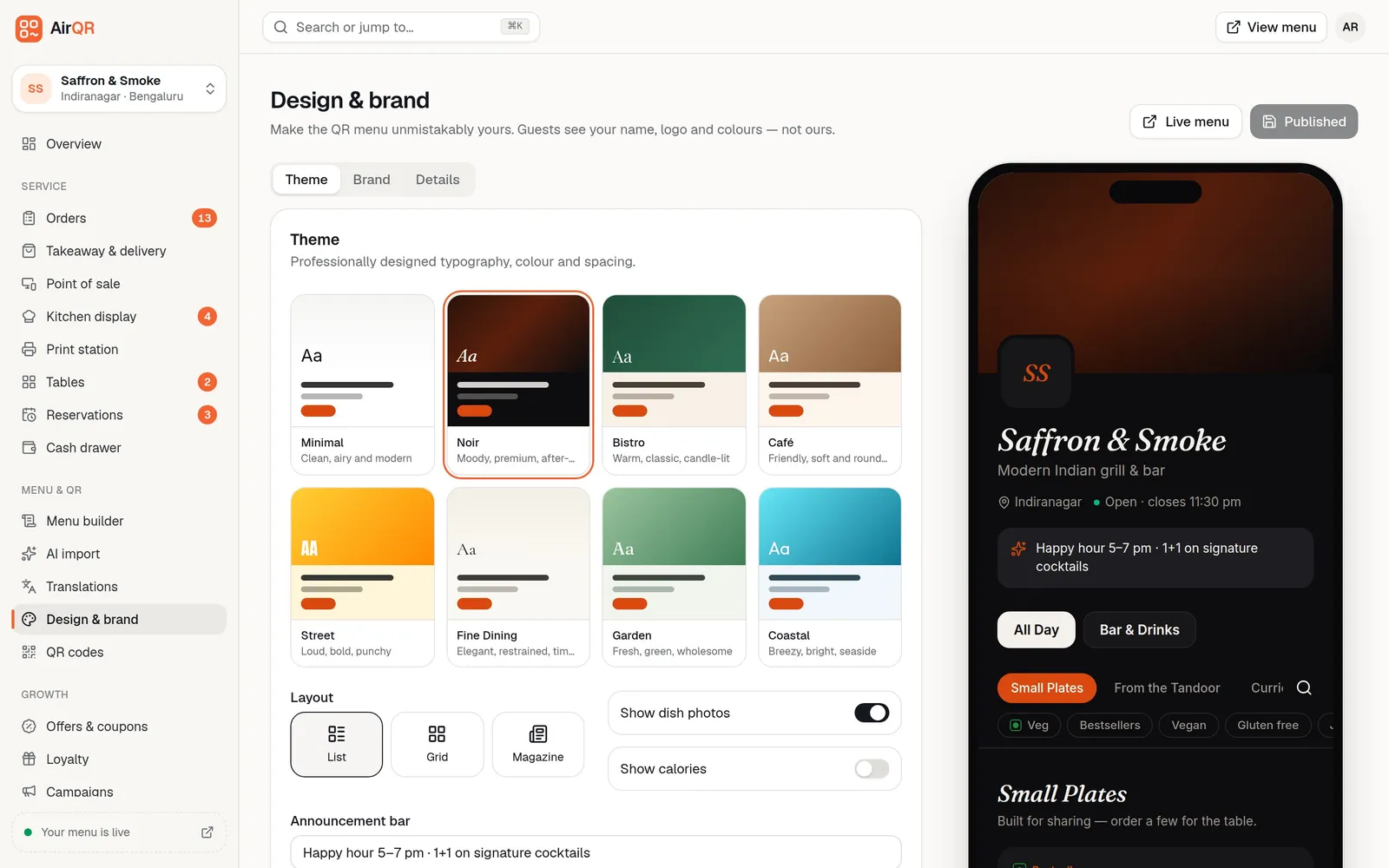
Pick one of eight designed themes, from Minimal and Café to Noir and Fine Dining, then add your logo, cover photo and brand colour. Choose a list, grid or magazine layout. A live phone preview shows exactly what guests will see before you publish.
- Eight themes, each with its own fonts and spacing
- Your logo, cover photo, brand colour and tagline
- An announcement bar for offers like happy hour
- Your phone and Instagram handle in the menu footer
Everything a guest needs to choose
Each dish can carry the details guests ask staff about, so the menu answers them first.
Photos and descriptions
Add your own photos, or let AI make a photo for dishes that have none. You check every photo before it goes on the menu.
Veg and non-veg marks
The familiar green and red marks, plus dietary and allergen tags such as Jain, vegan or contains nuts.
Sizes and add-ons
Half and full, 30 ml and 60 ml, extra cheese or a choice of bread, each with its own price.
Sold out in one tap
Mark a dish sold out and every QR menu shows a Sold out label at once, so guests can't order it. Switch it back on the same way.
Menus by time of day
Show Breakfast in the morning and the Bar menu after 6 pm with menu schedules.
Different prices per outlet
Share one menu across outlets and change the price or availability at each one.
Quick to open on mobile data
The menu is built to open fast on a phone, even on a weak signal. Your logo and cover photo come in sizes made for phones, tablets and big screens, and every change you make shows up straight away.
A menu in your guests' language
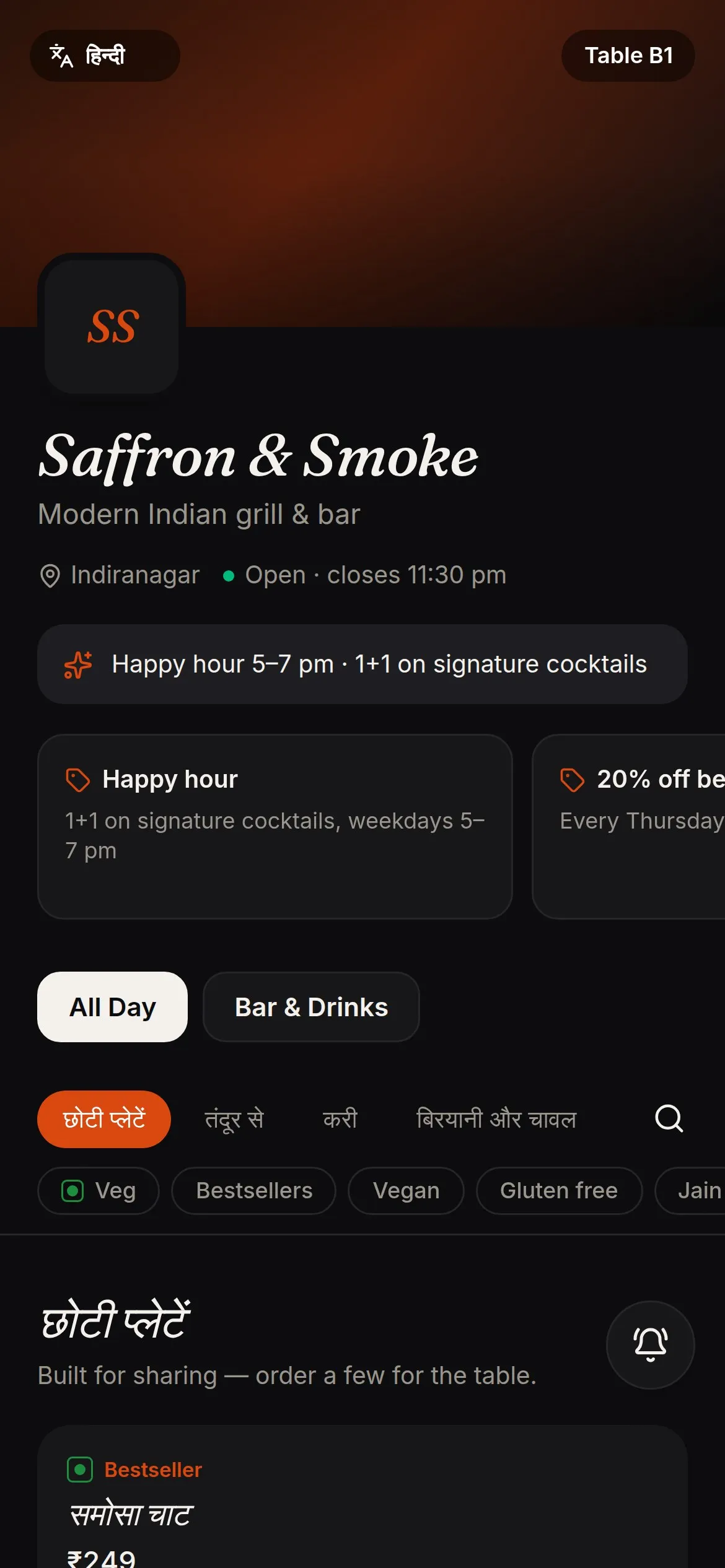
Add Hindi, Tamil, Bengali, Marathi or any of 22 other languages and let AI translate the whole menu. You review and edit the translation before it is saved. Guests pick their language on the menu, and English stays the default.
Each translation sits beside the English in one list, so a dish name everyone knows, such as paneer tikka, can stay familiar instead of being translated word for word. The pricing page shows how many languages you can add.
Set up your QR menu in three steps
The step-by-step guide to making a QR code menu covers each step in more detail.
- 01
Bring your menu in
Upload a spreadsheet, PDF or Word file, or photograph your printed menu. AirQR reads dishes, prices and sizes for you to check. See menu import.
- 02
Make it yours
Choose a theme, add your logo and colours, and check the live preview.
- 03
Print your QR codes
Style the codes with your logo, then print table cards for every table at 4, 6 or 8 to an A4 sheet, or download PNG or SVG files for a print shop.
QR codes that do more than open a menu
- One code per table, so orders land on the right table when ordering is on
- A takeaway counter code that gives guests a token number
- An online ordering code for pickup and delivery
- Campaign codes for flyers and posters, each counting its own scans
- Pause a code without deleting it
- Scan counts per table and per campaign
Questions
Do guests need to download an app to see the menu?
No. They point the phone camera at the QR code and the menu opens in the browser. It works on Android phones and iPhones.
Will the menu load quickly on a slow phone connection?
Yes. The menu, ordering and booking pages are built to load fast on mobile data, and photos come in phone-sized copies. When you change a price, a sold-out dish, a photo or your hours, guests see it straight away.
Do I have to reprint the QR codes when my menu changes?
No. Every AirQR code points to your live menu, so price changes, new dishes and sold-out items show up on the same printed code.
Can I use AirQR only as a digital menu, without ordering?
Yes. Turn ordering off and guests can only browse. Switch ordering on whenever you are ready, with the same codes.
Can my menu show in Hindi or other Indian languages?
Yes. You can add Hindi, Bengali, Tamil, Telugu, Marathi, Gujarati, Kannada, Malayalam, Punjabi and Urdu, plus 13 international languages. AI translates the menu and you review it before saving.
How do I get my existing menu into AirQR?
Upload a CSV, Excel, PDF or Word file, or take photos of your printed menu. AirQR reads the dishes, prices and sizes, and you check everything before it goes live.
How much does a QR code menu cost?
The QR code menu is part of AirQR, and you can try it free for 28 days. See pricing for the current price in your currency.
Keep reading
Try AirQR in your restaurant
Set up in minutes on the phones, tablets and printers you already have. 28-day free trial.