Multi-outlet
Multi outlet restaurant management software for Indian chains
AirQR lets one owner run several restaurant outlets from a single login. The menu and brand are shared, while each outlet keeps its own tables, QR codes, orders, GSTIN, UPI ID and opening hours. You set prices per outlet, give each captain or manager access to only their branch, and compare sales across outlets on one page.
- One login for every outlet
- One menu, different price per outlet
- Staff see only their own outlet
How multi outlet management works in AirQR
One AirQR brand account can hold many outlets. Think of the brand as the shared part and the outlet as the local part. Your menus, logo, colours and design belong to the brand, so you build them once. Everything that happens in a shop belongs to the outlet.
Each outlet has its own tables and QR codes, its own orders, kitchen display and cash drawer, and its own settings. That includes the address, GSTIN, UPI ID, taxes, service charge, timezone and opening hours. A bill printed at the Koramangala outlet carries the Koramangala details, not the Indiranagar ones.
You move between outlets from the box at the top of the sidebar. Every page then shows that outlet, and the box always tells you which outlet you are in, so you do not change the wrong shop's settings by mistake. The pricing page shows how many outlets are included.
Central menu management, local control
Build the menu once and let each outlet adjust only what really differs.
One menu, many outlets
A new outlet starts with every existing menu already shared with it, plus your brand and design. No copying and no re-typing.
A different price per outlet
Open a dish and set a price for one outlet, for example a higher price at the mall branch. Leave the box empty and the normal price applies. This works for dishes without sizes.
Availability per outlet
Turn a dish off at one outlet and keep selling it at the others. Useful when a branch has no tandoor or no bar licence.
Sold out here or everywhere
When paneer runs out at one branch, mark the dish sold out at that outlet only. A seasonal item can be marked sold out at every outlet in one go.
Menus for chosen outlets
A whole menu, such as a bar menu, can be limited to the outlets that have a bar.
One brand and design
Your logo, colours and theme are shared. Change them once and every outlet's guest menu follows.
Each outlet keeps its own details
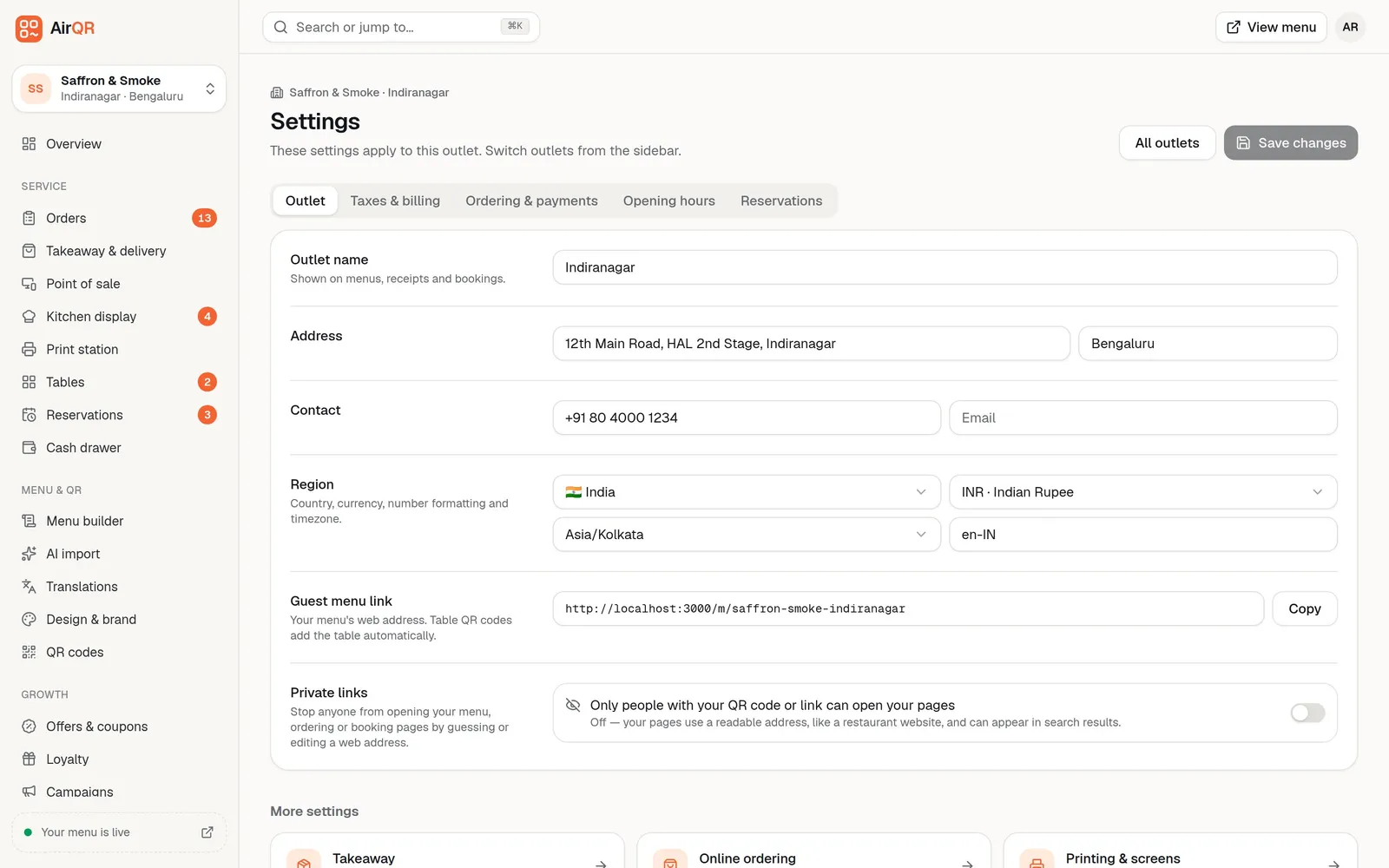
Settings are per outlet. Each one has its own tabs for outlet details, taxes and billing, ordering and payments, opening hours and booking rules. Money from UPI payments goes straight to the bank account behind that outlet's UPI ID.
Adding an outlet takes a minute. You give it a name, a city and a number of tables, and AirQR creates a QR code for every table plus a main menu QR. It copies the opening hours of the outlet you were in. Then you fill in its address, GSTIN and UPI ID. See outlet settings and running multiple outlets.
Roles and staff access across outlets
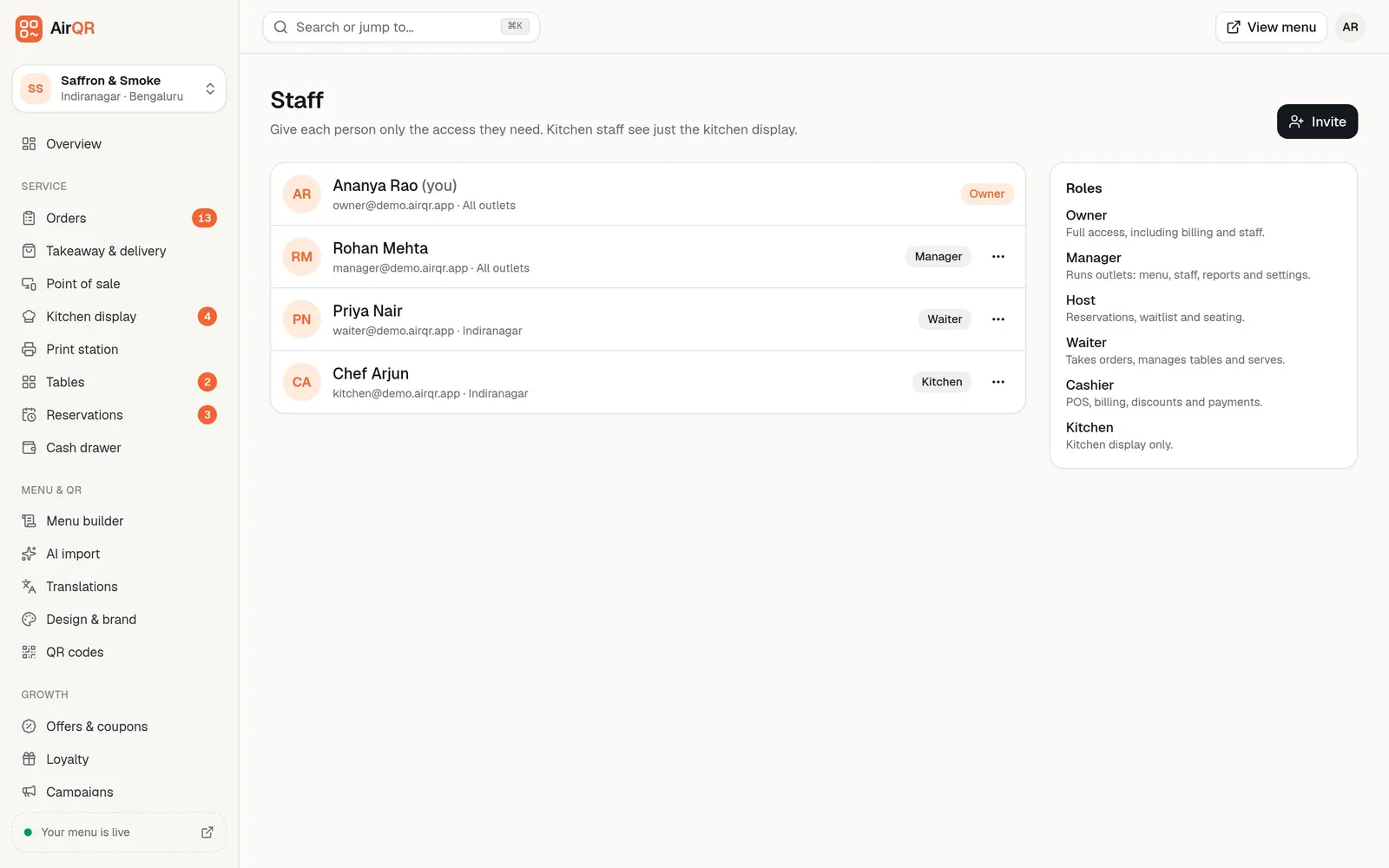
Every team member has one role, and the role decides which screens they see and what they can do. AirQR has standard roles from owner and manager to captain, waiter, cashier, kitchen, bartender, delivery rider, inventory clerk and accountant. You can also make your own, such as a senior waiter who may give small refunds.
With two or more outlets, each person also gets an outlet setting. Pick all outlets, including ones you add later, or tick specific outlets. A captain at one branch only sees that branch in the switcher and cannot open data from the others. Staff limited to some outlets cannot give themselves or anyone else access to more. Owners and managers sign in with an email. For waiters and other staff who have no email, you create a login from the Staff page that uses their mobile number and a password, and the login box accepts either one. Read how it works in staff roles and staff logins.
- Each role that can give discounts or refunds has a limit, and the owner decides it
- You can set a different limit for one person, and nobody can change their own limits
- Waiters and cooks can be added with a name, mobile and PIN, with no email needed, to clock in on a shared tablet
- Staff without an email can sign in with their mobile number and a password. Nothing is texted to them, and owners and managers keep signing in with an email
- Every role change is kept in a history log
Compare outlets and see the brand total
Reports follow the outlet you are in, with one page to compare them all.
All outlets view
On the Analytics page, switch from This outlet to All outlets. Sales and orders for each outlet sit side by side, with the brand total.
The Outlets page
A card for every outlet shows tables, orders and sales for the last 30 days at a glance.
Orders and data exports
The export of orders and the full data download include every outlet you can access, with an outlet column for your accountant.
Day-end per outlet
Each outlet closes its own cash drawer and gets its own Z report, so shortages are traced to the right shop.
Rosters, shifts and attendance for every branch
Staff scheduling runs per outlet too. The weekly roster shows the people who work at the outlet you are in, with total hours, estimated labour cost and warnings. A shift that overlaps another shift for the same person is flagged, even when the other shift is at a different outlet. You can copy last week's roster as drafts, change what differs and publish it so staff see their shifts under My shifts.
The time clock lets staff clock in, take breaks and clock out from their own screen or with a name and PIN on a shared counter tablet. Managers see who is in now, who is late, who forgot to clock out and the overtime, and can fix a missed entry with a note that is kept on record. Labour cost can be shown as a share of sales, and you can download a payroll file for your accountant. AirQR does not pay anyone, it only prepares the numbers. See roster and shifts and time clock and attendance.
Is AirQR right for your chain or franchise?
Check your set-up against this list before you start the 28-day free trial.
- Good fit, one owner or company with several branches under one brand and menu
- Good fit, different prices or dishes at some branches
- Good fit, managers and captains who should only see their own branch
- A second brand, rather than another branch, is set up by AirQR as its own account with its own menu, and you switch to it from the sidebar
- Franchise groups and large chains should talk to us first on the contact page, so we can agree the right set-up
- Closing an outlet pauses its menu and QR codes and keeps its data, and you must keep at least one active outlet
Questions
Can I manage multiple restaurant outlets with one AirQR login?
Yes. One brand account can hold many outlets and you switch between them from the top of the sidebar. See pricing for how many outlets are included.
Can the same dish have a different price at each outlet?
Yes. Open the dish and use outlet overrides to set a price or turn availability off at a specific outlet. Price overrides work for dishes without sizes.
Can I limit a manager or captain to one outlet?
Yes. When you add or edit a team member you can tick only the outlets they work at. They then see only those outlets and cannot open data from the others.
Can each outlet have its own GSTIN?
Yes. GSTIN, address, UPI ID, taxes and opening hours are set for each outlet, so every outlet's bills carry its own details and its GST files are made per outlet. Check with your accountant which registration each outlet should use.
Can I see sales for all my outlets together?
Yes. In Analytics, switch to All outlets to compare sales and orders side by side. Other pages such as the cash drawer follow the outlet you pick.
What happens to a new outlet's menu?
Your menus, brand and design carry over and every existing menu is shared with the new outlet. Each table gets its own QR code.
Is AirQR good for a franchise?
The best fit is one owner or company running several branches under one brand. For a franchise group or a chain with many outlets, contact us and we will agree the right set-up with you.
Keep reading
Try AirQR in your restaurant
Set up in minutes on the phones, tablets and printers you already have. 28-day free trial.