For hotel restaurants and bars
Hotel billing software for your restaurant, bar and cafe outlets
AirQR is hotel billing software for the food and beverage side. That means a restaurant that people in India simply call a hotel, and the restaurant, bar, in-house cafe and room service of a lodging hotel. You get POS billing, kitchen screens, QR menus, table bookings and GST bills for every outlet. AirQR is not a room booking or front desk system, and it does not post charges to rooms.
- POS, KOT and GST bills for each outlet
- Kitchen, Bar and Room service stations
- Not a room booking or front desk system
What hotel billing software means in India
Ask ten owners what a hotel is and you will get two answers. In much of India a hotel is a place to eat. A South Indian tiffin hotel, a highway dhaba hotel and a family biryani hotel all need billing software for hotel and restaurant work, meaning a till, a kitchen and a GST bill. In a lodging hotel, the guest rooms are one business and the food and beverage outlets are another.
AirQR serves both owners on the food and beverage side. If you run a restaurant and call it a hotel, everything on this page is for you, and you may also like the restaurant page. If you run a lodging hotel, AirQR can run the restaurant, the bar, the in-house cafe and the room service kitchen, each with its own screen and printer.
The limit is plain and we would rather say it first. AirQR does not take room bookings, manage check in or check out, keep a guest folio or post a bill to a room. Your front desk system does that. AirQR bills the food and drink, and the front desk team works from the printed bill.
What AirQR covers in a hotel and what it does not
Check this table against what you need before you start a trial.
- Restaurant, bar and cafe billing
- What AirQR doesYes. One POS for dine-in, tabs, takeaway and delivery, with tax-ready bills.
- Kitchen, bar and room service tickets
- What AirQR doesYes. Each station gets its own screen and its own printer.
- QR menu and QR ordering
- What AirQR doesYes. Guests scan, order and pay by UPI or at the counter.
- Table bookings and a walk-in waitlist
- What AirQR doesYes. These are for restaurant tables only.
- Several outlets under one login
- What AirQR doesYes. Plans differ on how many outlets are included.
- Room booking, check in and check out
- What AirQR doesNo. AirQR is not a property management system.
- Charging a bill to a guest's room
- What AirQR doesNo. Nothing is posted to a room folio.
- Banquet and event bookings
- What AirQR doesNo. Reservations are table bookings only.
If a hotel guest wants the bill on the room, the front desk adds it by hand from the printed bill.
A day of service across hotel outlets
This is how one hotel day can run when each outlet bills on AirQR.
- 01
Breakfast in the restaurant
A Breakfast menu is set to show only until late morning. Captains take orders on the POS or guests scan the table QR. Each round reaches the kitchen screen as its own ticket, and a late ticket turns amber and then red.
- 02
Lunch with a walk-in rush
The host adds walk-in parties to the waitlist with a quoted wait, and taps Notify to open a ready WhatsApp message. Seated tables show on the live floor with their running bills.
- 03
The cafe in the lobby
The in-house cafe runs as a counter. Staff type short codes, press Charge and hand over a token. A TV near the counter shows which tokens are ready.
- 04
Room service in the evening
A room service order is taken on the POS and sent to the Room service station. That station has an order by order screen made for assembling and packing a tray, so staff see when the kitchen and the bar have finished their parts.
- 05
The bar after 6 pm
Guests at the bar get tabs by name. A happy hour applies by itself on drinks, and the bar screen shows what to pour. Liquor is taxed at your state VAT and food at GST, on the same bill.
- 06
Closing each outlet
Every outlet counts its own cash drawer and prints its own Z report. The owner then compares sales across outlets on one analytics page.
Outlets, stations and screens for a hotel
A hotel has many small kitchens. AirQR keeps them separate on screen and together on the report.
Start from a hotel setup
When you create the business you can choose Hotel F&B as the type. It starts with Kitchen, Bar and Room service stations, and you can add more, such as a tandoor or a pastry counter. See stations.
One outlet or many
A single restaurant with a terrace and a bar can be one outlet with several areas on the floor plan. Spots that run on their own hours, UPI ID or GSTIN are better as separate outlets. Read about multi-outlet for how they share a menu.
A screen for every station
The kitchen display has New, Preparing and Ready columns with timers. A bar station gets a drinks-first screen. You set a target time for each station. Details are on the kitchen display page.
Printers per station
Each KOT printer is told which stations it prints for. A round with food and drinks prints a food ticket in the kitchen and a drinks ticket at the bar.
Roles for a larger team
Captains, waiters, hosts, cashiers, kitchen staff and bartenders each open on their own screen. An outlet manager can be limited to the outlets they run.
Billing that survives a power cut
If the internet drops, the POS keeps billing and printing on the device and syncs when the connection returns. Open the POS once on each counter device while online so it is ready.
A menu your guests can read in their own language
Hotel guests come from everywhere. The QR menu can show in Hindi, Tamil, Bengali, Arabic, French and many other languages. AI translates the menu and you read it, fix dish names the way your guests say them, and save. Until you save, a translation is only a suggestion.
How many extra languages you can add depends on your plan, so check pricing. Sizes, add-on options and the business name are not translated, and anything without a translation shows in English.
- Guests pick a language on the menu cover
- Buttons and checkout switch to Hindi too
- Printed tickets and bills stay in English
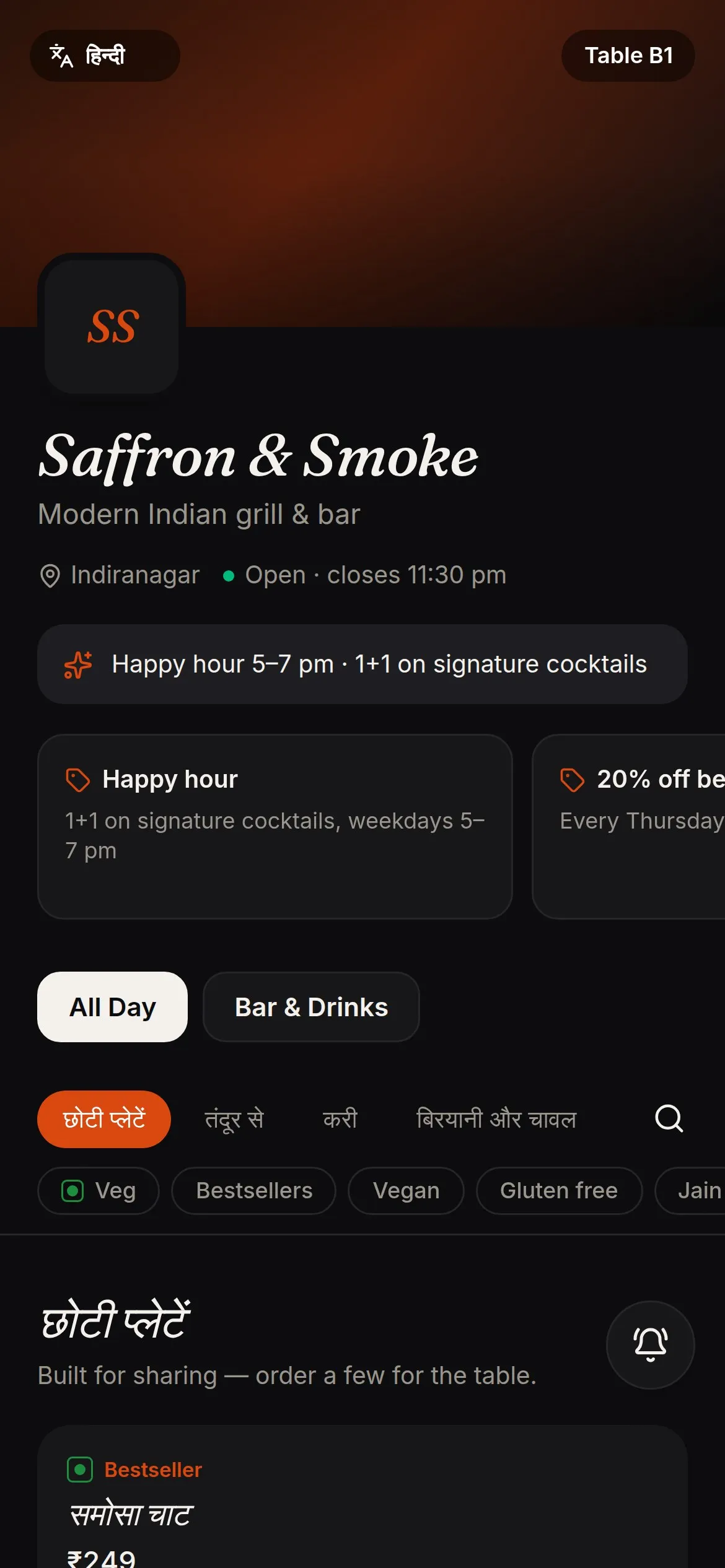
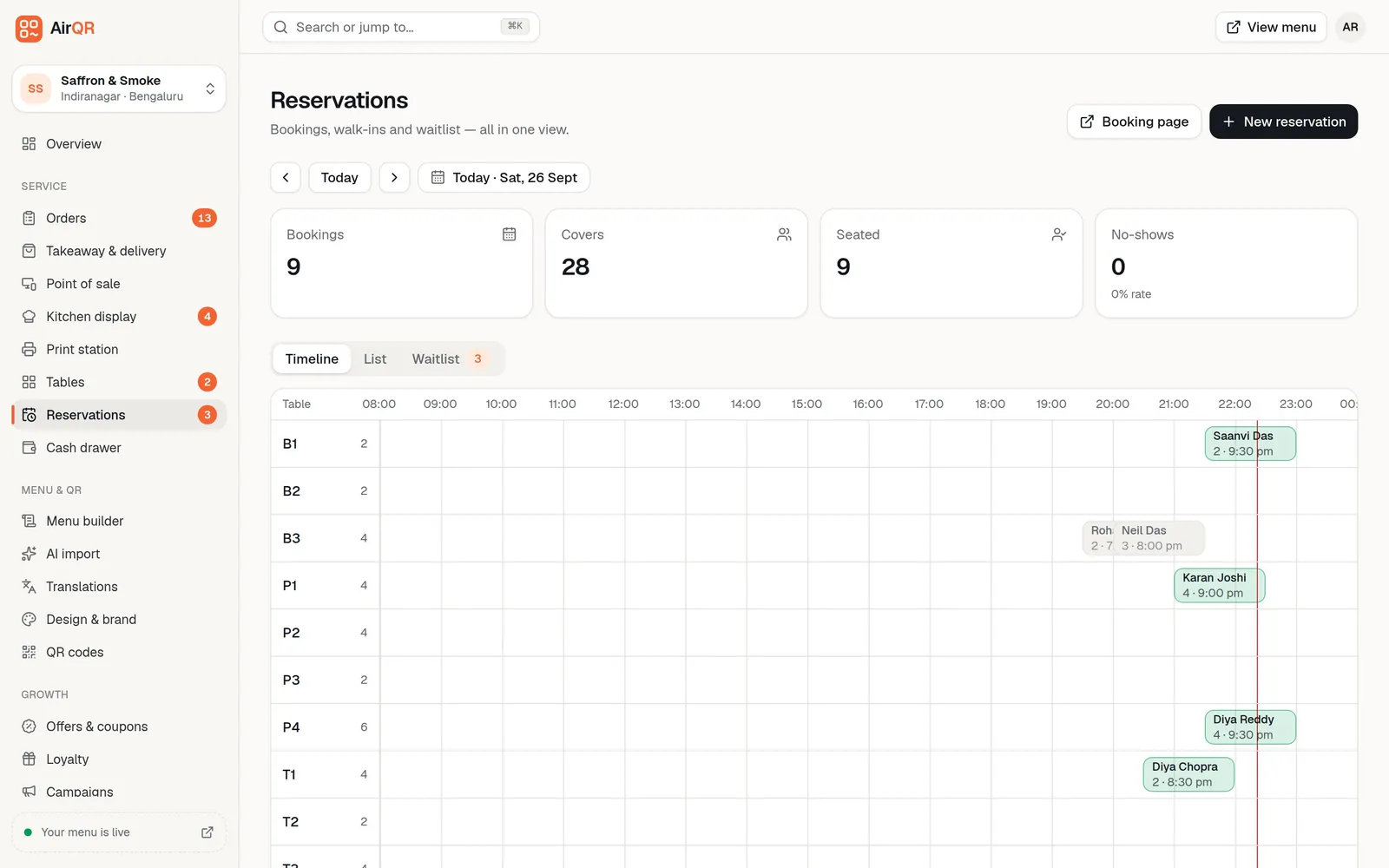
Table bookings and a waitlist for the restaurant
The restaurant can take bookings from a public booking page, by phone or at the host stand. Online bookings pick the smallest free table that fits the party, and no two bookings can overlap on one table. The timeline shows each table as a row. See table reservations.
These are bookings for restaurant tables. If you are fully booked on a festival night, switch on Pause bookings and the page stops taking new ones while your team can still add their own.
GST, liquor VAT and your accountant
Each outlet has its own GSTIN, address and taxes, so each outlet gets its own bills and its own monthly files. The GST billing page shows the GSTR-1 files and the Tally export. A bar can use tax classes, so food is charged GST and liquor is charged the state VAT rate you set.
AirQR charges the tax you set up. It does not decide the rate for your hotel. Hotel restaurants can sit under different tax rules from a standalone restaurant, so confirm your rates, and whether you claim input credit, with your CA before you start. There is a stock-in setting for businesses that claim input credit.
What to check before you choose hotel billing software
A few questions save a bad purchase.
- Do you need rooms and front desk as well, or only the food and beverage outlets
- How many outlets do you run, and do they have separate GSTINs or UPI IDs
- Does the bar need liquor VAT and tabs on the same system as the restaurant
- Can each station print or show its own tickets
- Does billing keep working when the internet drops
- Will your accountant get the GST files without retyping
Questions
What is hotel billing software?
It is software that bills the food and drink sold in a hotel. In India the word hotel often means a restaurant, so it can also mean restaurant billing. AirQR covers the food and beverage side of both.
Can AirQR charge a restaurant bill to a guest's room?
No. AirQR does not take room bookings or post charges to rooms. It prints the bill, and your front desk adds it to the room from your own system.
How much does hotel billing software cost?
The cost depends on how many outlets you run and which modules you switch on. See pricing for the current plans, and try everything free for 28 days first.
Is there a hotel restaurant POS with kitchen and bar screens?
Yes. The POS is included in every plan, and each station can have its own screen and printer. Kitchen screens depend on your plan, so check pricing.
Can one login run the restaurant, bar and cafe of my hotel?
Yes, if you add them as outlets. They share the menu and brand and keep their own tables, hours, taxes and cash drawer. How many outlets you get depends on your plan.
Can the bar charge liquor VAT on the same bill as food GST?
Yes. Set a liquor tax class with your state VAT rate and give your drinks that class. Food keeps its GST. Confirm the rate with your accountant.
Does it work when the internet goes down?
The POS keeps taking orders, printing and recording payments on the device, then syncs when the internet returns. Other screens, such as the kitchen display, wait for the connection.
Keep reading
Try AirQR in your restaurant
Set up in minutes on the phones, tablets and printers you already have. 28-day free trial.