AI guest insights
AI guest insights, from chat questions to guest profiles
Your AI waiter talks to guests all day, and AirQR turns those chats into something you can use. An insights page shows what guests ask, what the chat sold and how it compares with other orders. In the guest CRM, each regular's profile lists what the waiter remembers about them, with the source and date, which you can edit or remove.
- What guests ask and order by chat
- What the waiter remembers, with source
- Remove what it remembers
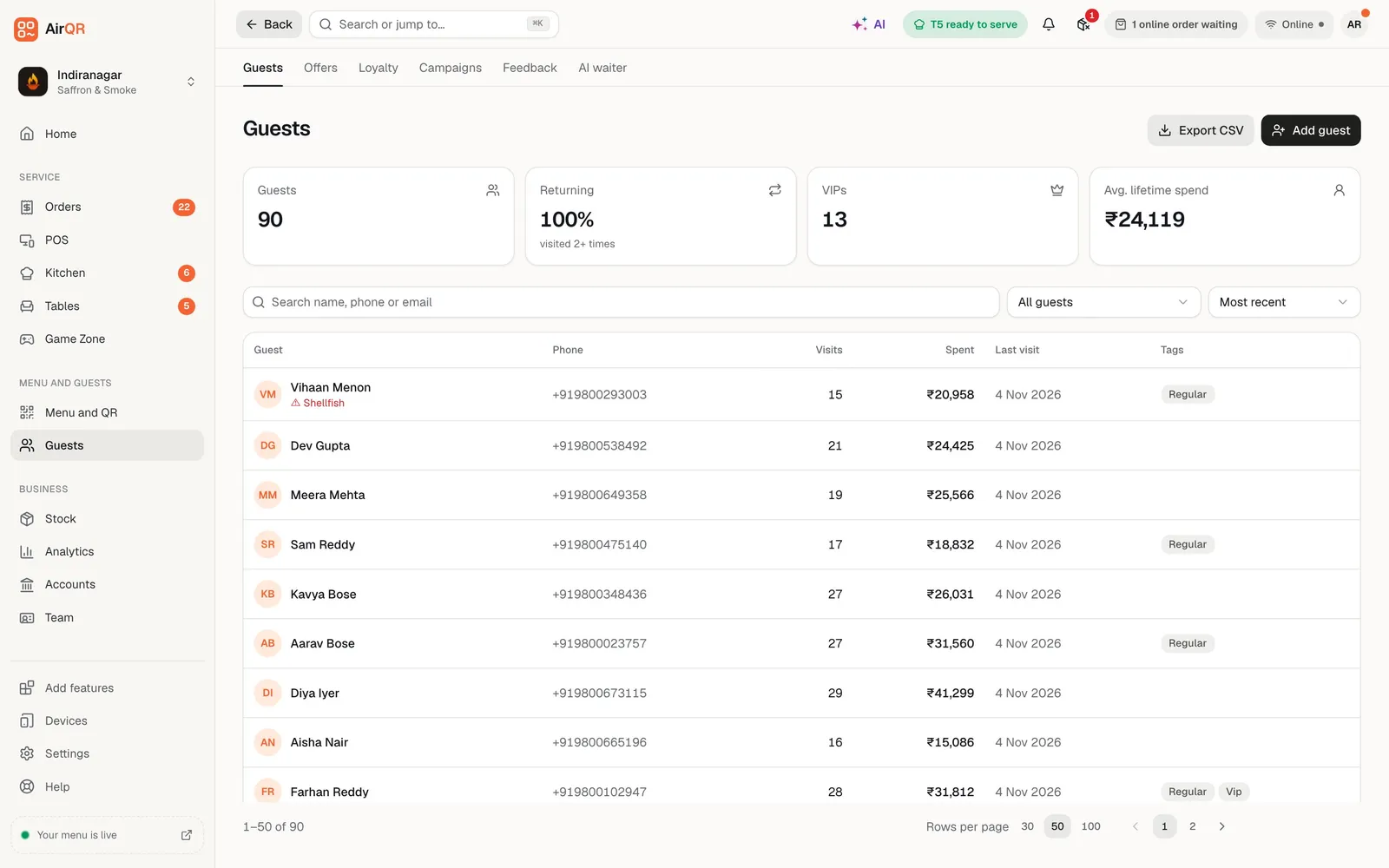
Two views of the same guests
The AI waiter is a chat assistant on your menu, online ordering and booking pages. Every chat leaves a trail of useful facts. What do guests keep asking that your menu does not answer? How much did the chat sell? Which regulars have told it they are Jain, or hate coriander?
AirQR shows that in two places. The AI waiter insights page looks at all chats together over 7, 30 or 90 days. The guest profile in the guest CRM looks at one person. Neither one does anything behind your back. They report what happened and what guests chose to tell the waiter.
Insights come with the AI waiter module. The profile card shows in the guest CRM when both the AI waiter and Guest CRM modules are on. Preview chats that you run yourself to test the waiter are left out of the numbers.
What the insights page shows
Pick 7, 30 or 90 days. The page reads from real chats at your outlet.
Conversations and messages
How many guests used the chat and how many messages they sent, with conversations and orders day by day, so you can see it grow after you put the QR on tables.
Orders and revenue through chat
How many orders and how much revenue came through the chat, and how many chats ended in an order.
Average order compared with other orders
See whether chat orders are bigger or smaller than the rest of your closed orders at the same outlet.
Bookings and waiter calls
Tables booked through the chat and waiter or bill calls it passed on.
Thumbs up and thumbs down
Guests can rate each reply. You see the share that found it helpful and can filter chats that were flagged or got a thumbs down.
What guests ask most
The top questions and the dishes the waiter recommended most, so you know what people want to hear about.
Turn questions you could not answer into answers
The Knowledge tab closes the loop between what guests ask and what the waiter knows.
- 01
See the questions it missed
The last 30 days of guest questions that the waiter could not answer, or that got a thumbs down, are listed together.
- 02
Add your own answer
Click Add answer next to one and write it the way you would tell a guest, such as parking, Jain food or your birthday cake policy.
- 03
Choose where it applies
With more than one outlet, an answer can apply to all outlets or to just this one. Pause, edit or reorder it any time.
- 04
Watch it improve
The waiter reads your menu, outlet details and offers after every change, and it uses your own answers when guests ask about those topics.
Read the conversations themselves
Insights tell you the pattern, and conversations tell you the story. AirQR keeps every chat for 90 days. You can search the messages, filter the flagged ones and open any chat to read the whole thing with the orders and bookings it led to. It is a quick way to learn how guests really talk about your food, in English, Hinglish or your menu's languages (Hindi, Marathi, Tamil, Arabic and more).
Guests see a privacy note under the chat box, and chats older than 90 days are deleted. Credits matter here too, because every guest message uses a small part of an AI credit, about 0.07 to 0.45. You can set a monthly cap for the outlet, so the chat cannot use everything. Read more on the pricing page.
What the waiter remembers about a regular
Guests can ask the waiter to remember them. They give a name and mobile number, or email, and agree in a separate consent box. This never signs them up for marketing messages. From then on the waiter can greet them, offer their usual order and keep their diet and allergies in mind.
On the guest's profile in the CRM, an AI waiter knows card lists each saved preference with where it came from and the date, for example said in chat. You can remove any item, and set diet, spice level and party size yourself. You can also see how many devices the waiter recognises and sign them all out, and open the guest's chats. When a guest says they are allergic to something, the waiter asks before saving it, and the allergy is shared with your CRM so your staff see it too.
- Allergies, diet, spice level, party size and seating
- Source and date shown for every item
- Remove any item, or set diet and spice yourself
- Recognised devices with Sign out all devices
Privacy and safety built in
A phone number is not proof of identity, so AirQR does not show a guest's history to anyone who simply types a number. On a phone the guest has ordered and paid from, the waiter recognises them. On a new phone, a guest with an email on file confirms a six digit code. A guest with only a phone number gets light personalisation, where saved allergies and diet quietly shape suggestions but nothing from the past is shown.
Guests can say Forget me, which clears what the AI learned and unlinks their devices. Your order records stay, since they are your billing records. Remembering is per brand and never crosses to another business. See the guest CRM help and the AI waiter help for the steps.
Questions
What does the AI waiter insights page show?
For 7, 30 or 90 days, it shows conversations, orders and revenue through chat, how chat orders compare with other orders, bookings, waiter calls, thumbs up and down, what guests ask most and which dishes the waiter recommended.
Does AirQR write a profile of every guest with AI?
No. The guest CRM profile lists what the waiter remembers because the guest told it or ordered it, with the source and date of each item. You can remove any item, and set diet, spice level and party size yourself.
Does the AI waiter remember allergies?
Yes, if the guest agrees. The waiter asks before saving an allergy or diet, and the allergy is saved to the CRM so your staff can see it too. Suggestions then respect it.
How long are chats kept?
Chats are kept for 90 days and then deleted. Guests see a privacy note under the chat box.
Can a guest ask to be forgotten?
Yes. Forget me clears what the AI learned and unlinks the guest's devices. Your order records stay because they are billing records.
Can someone see another guest's history by typing their number?
No. A typed number alone shows nothing from the past. History appears only on a phone the guest has ordered and paid from before, or after a code sent to their email.
Do these insights cost AI credits?
Reading the insights page is free. Each guest message in the chat uses about 0.07 to 0.45 of an AI credit, and you can set a monthly cap per outlet.
Are these the same as AI Insights on the Analytics page?
No. These insights are about the AI waiter's chats with guests. AI Insights on Analytics is a daily brief on your sales, written by the AI Analyst.
Keep reading
Try AirQR in your restaurant
Set up in minutes on the phones, tablets and printers you already have. 28-day free trial.